
How To Choose a Web Designer in 2026
Learn how to choose a web designer who can meet your business goals, handle technical demands and deliver a website built to perform.


-
A slow site loses customers before design comes into it. B2B pages loading in 1 second convert three times better than pages taking 5 seconds, and that’s a build problem rather than a design one.
-
A portfolio shows what a designer can make, not what you’ll get. Open their live sites, test them on your phone and ask for case studies with real numbers behind them.
-
Get ownership in writing before you sign. Buyers usually assume they own the domain, code, CMS and analytics accounts. That assumption is what traps them later.
-
Look for a web design team with proven experience. Digital Silk has experienced web designers and 100+ case studies showcasing how we’ve helped companies strengthen their digital presence, improve performance and grow.
B2B web pages that load in 1 second achieve 3x higher conversion rates than those that take 5 seconds, according to Portent.
Web design isn’t just about aesthetics. A website that looks great but fails to attract and convert customers is little more than an expensive brochure.
This guide shows you how to choose a web designer who understands the difference.
What’s Really at Stake When You Choose a Web Designer
You’re making a business decision here, not a design one. For most people, your corporate website is the first thing they see of your company.
Research published in the International Journal of Human-Computer Studies, with contributions from Google researchers, found that people judge a website’s visual appeal within 50 milliseconds. That’s faster than a blink.
But a good first impression only gets you so far. Visitors then need a reason to keep reading, or to actually do something.
AI search complicates this further. People now get answers without clicking through to anyone’s site. Bain & Company found that 80% of consumers rely on AI summaries for 40% or more of their searches, which drags organic traffic down by 15% to 25%.
So your site has less time and fewer visits to work with. It needs to say what you do quickly, get people to what they came for and point them toward the next step.
That’s the actual job of professional web design.
1. Define the Project Before You Contact Anyone
Be specific about your web design requirements. It makes your project easier to explain, and it makes proposals far easier to compare.
Separate business goals from website features
People mix these up constantly. “Increase qualified demo requests by 30%” is a goal. “A contact form” is a feature.
The goal is the outcome. The feature is one possible route there. Write down your goals, then work out which features get you closer.
Make a must-have and nice-to-have list
Split your requirements into two lists. Must-haves might be a particular CMS, multiple languages, eCommerce, a CRM connection or WCAG compliance. Nice-to-haves are what you’d add if the budget stretches.
Now you know what the project actually needs, and what can wait until later.
Define what success looks like
Pick three to five metrics to track before the project starts. These could include inquiries, sales, conversion rate, organic traffic, rankings or returning visitors.
Record your current numbers before work begins. This gives you a baseline for measuring the site’s performance after launch.
Know what your website may cost
Website costs vary based on the project’s size, features and level of customization. Knowing the ranges helps you set a budget and spot a proposal that’s off.
Among US web design companies, custom website pricing tends to land like this:
| Website type | Typical scope | Typical cost |
| Custom startup website | Fewer than 15 pages with basic features | $25K to $30K |
| Mid-size corporate website | Up to 75 pages, CMS, custom design and some unique features | $50K to $60K+ |
| Large corporate website | Hundreds of pages, custom design, CMS and multiple features | $100K+ |
| Custom eCommerce website | Varies based on store size, products and features | $100/hour+ |
A website cost calculator will get you closer to a real number for your own project.
2. Decide What Type of Web Designer You Need
Designers and agencies vary a lot in what they can do and how much support they provide. Pick one that can handle your project’s technical, strategic and business demands.
| Type | Best for |
| Freelancer | Small websites, landing pages and simple projects |
| Boutique studio | Custom websites that need a small specialist team |
| Mid-size agency | Larger websites, eCommerce and more complex integrations |
| Full-service agency | Enterprise websites and projects that require multiple marketing services |
Freelancer or agency?
A freelancer can be appropriate for smaller, clearly defined projects. An agency is generally better suited to websites that require multiple disciplines, such as UX, development, copywriting, SEO or complex integrations, as well as ongoing strategic support.

3. Build a Shortlist Worth Interviewing
- Start with referrals. Ask colleagues, board members, anyone in your network who has done this recently. Someone who ran a similar project will tell you things a case study never will.
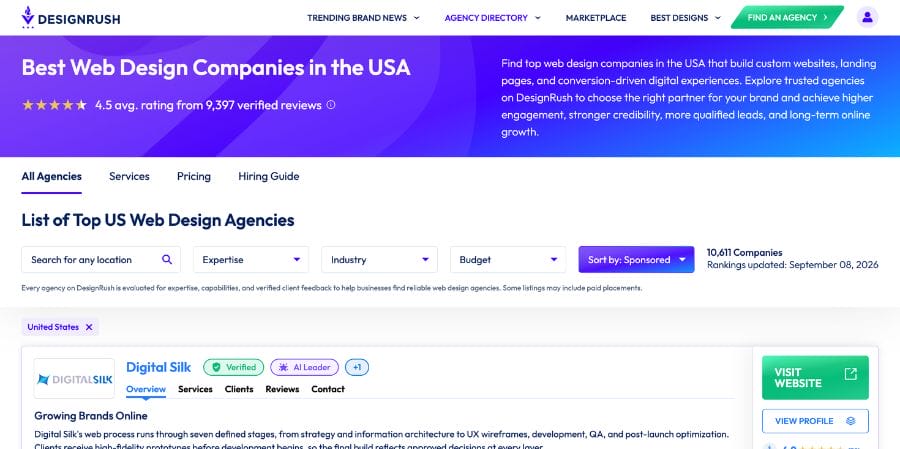
- Use directories to find candidates. Clutch, DesignRush and the WordPress.com Partner Directory let you filter by budget, expertise and location. Use them to build a list, not to rank it.
- Review their own website. It’s a live sample of their work. Ask yourself whether it shows they can solve UX, technical and business problems at your scale.
- Check their search visibility. Search the services they claim to offer. An agency selling SEO-focused web design that barely surfaces for its own terms is telling you something.
- Pay attention to communication. Your first exchange previews the whole relationship. How fast do they reply, do they show up when they said they would, do they answer what you actually asked?
4. How to Evaluate a Portfolio
A portfolio is the quickest way to see whether someone has built the kind of site you need. Look at quality, relevance, range and any sign that the work produced results.
A construction firm, for instance, should look for construction website design experience with filterable project galleries and service-area pages, not just generic corporate sites.
| What to look for | What it tells you |
| Projects similar to yours | They have relevant experience |
| A range of design styles | They can adapt to different brands and audiences |
| Recent projects | Their work reflects their current capabilities |
| Detailed case studies | They can explain their process and decisions |
| Measurable results | They track business performance, not just design |
| Similar-looking websites | They may rely heavily on templates |
Evaluate more than visual quality
A portfolio proves someone can make something look good. It says nothing about how the site was built or whether it did its job.
Look for case studies that spell out:
- The client’s business goal
- The agency’s role
- The challenges they solved
- The approach they took
- The results they achieved
- Before-and-after performance data
Visuals show craft and relevant experience. Case studies and numbers show you how they think and what their work actually did.
Test a few of their websites
Open three sites from their portfolio, ideally ones close to your project. Try them on desktop, then on your phone, and see whether the responsive web design actually holds up.
Check the basics:
- How quickly the pages load
- Whether the site works well on mobile
- How easy it is to navigate
- Whether the content is easy to read
- Whether buttons and forms work properly
- Whether the site is accessible using a keyboard
Lighthouse and PageSpeed Insights will surface performance and accessibility problems too.
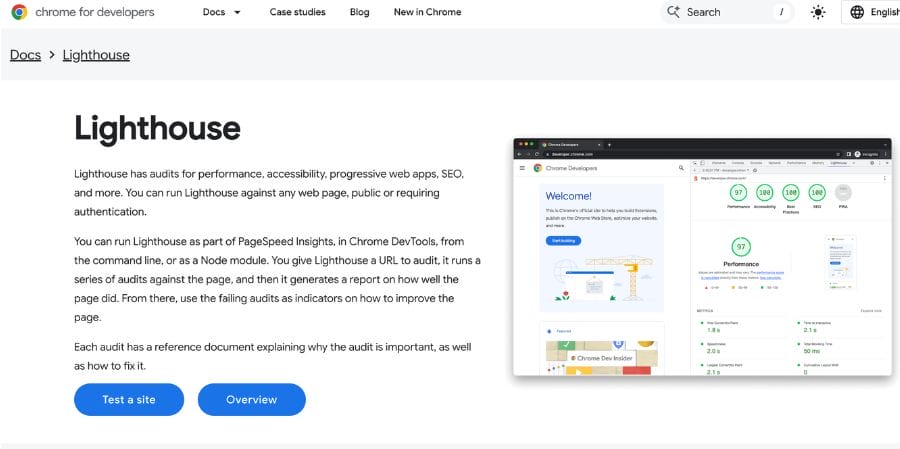
One caution: don’t let a single score decide anything. Third-party tools, analytics scripts and video the client added after launch all drag numbers down. Treat a bad result as a reason to ask a question, not as a verdict.
Study one case study in detail
Pick one project like yours and walk through how they handled it.
Look at:
- The problem they were solving
- Their recommended approach
- The challenges they encountered
- The reasoning behind their design decisions
- The results they achieved
- What they would change today
You want someone who can tie their design choices back to the client’s goals and what happened after launch.
5. Questions to Ask A Web Designer
Once the portfolios are reviewed, get your shortlist on calls. The right questions tell you how they work, what you’re getting and what happens once the site is live.
Strategy and process
1. What do you need to know about our business before you start?
- Strong: They dig into your goals, audience, customers, current site, and problems before recommending anything.
- Weak: They jump straight into visual preferences without understanding what the website needs to accomplish.
2. What are the main stages of your website projects?
Ask them to walk through their website development process stage by stage, and to show you where your approvals sit.
- Strong: They name the phases, the milestones and the points where they’ll need feedback from you.
- Weak: A vague answer with nothing about how the work gets managed.
3. What happens when we need to change something along the way?
- Strong: A defined process for changes, with the cost and timeline effects explained.
- Weak: They can’t tell you when extra charges kick in.
4. How do you check the website before it goes live?
- Strong: They describe how they test functionality, performance, mobile and accessibility, ideally against a documented pre-launch website design checklist.
- Weak: “We test everything,” with no detail behind it.
Platform and technical skills
5. What CMS would be the best fit for our website?
- Strong: A recommendation built from your requirements, with the downsides named too.
- Weak: A platform with no explanation of why it suits your project.
6. How much control will our team have after launch?
- Strong: They tell you what your team can update, train you and show you the CMS.
- Weak: They assume you’ll come back to them for routine changes, and they’re fuzzy about what that costs.
7. What steps do you take to keep the website fast?
- Strong: Performance targets set upfront, with Core Web Vitals tracked during the build.
- Weak: Nothing concrete about how speed gets measured while the site is being made.
8. How will you make the website accessible?
- Strong: They work to recognized accessibility standards and test before launch.
- Weak: Accessibility gets treated as a later problem.
9. How will you make sure the site works well on phones?
Mobile accounts for 50.13% of web traffic worldwide, so mobile can’t be the version you check at the end.
- Strong: They design and test across desktop and mobile.
- Weak: They lean on the template to handle it and can’t say how they test.
SEO and integrations
10. What SEO work is part of the website project?
- Strong: They cover on-page SEO, redirects, metadata, headings, alt text, sitemaps and the technical requirements, and explain how it connects to ongoing SEO work later.
- Weak: SEO is something to sort out after launch.
11. Which of our existing tools will need to connect to the website?
- Strong: Integrations come up during planning, with a clear account of how they’ll be built and tested.
- Weak: Integrations are a problem for after the site exists.
12. Which legal or compliance pages should we plan for?
Ask whether your privacy policy, terms of service and cookie policy sit inside the project scope. They don’t need to write the legal copy, but the pages should be accounted for if your business needs them.
Team and accountability
13. Who will be responsible for the work on our website?
- Strong: They introduce the actual people and explain what each one does.
- Weak: They can’t tell you who’s doing the work.
14. Will anyone outside your core team be involved?
- Strong: A straight answer about contractors and what they’d handle.
- Weak: They dodge it.
15. What happens if a key team member is no longer available?
- Strong: Backup coverage for each role, and a process for handing work over.
- Weak: No plan.
Measurement and long-term support
16. How will we know whether the new website is performing better?
- Strong: They talk about leads, conversions, sales, organic traffic, or whatever goals you set at the start.
- Weak: Success means launching on time and looking good.
17. What happens when we need help after launch?
- Strong: They separate what your team handles from what they handle, and tell you what ongoing services cost.
- Weak: No clear answer about who maintains the site.
18. What exactly will we own when the project is finished?
- Strong: Clear answers on the site, design files, content and the rest of the deliverables.
- Weak: Ownership is murky, or hinges on fees nobody mentioned earlier.
19. Have you connected websites to tools like ours before?
- Strong: Examples of comparable integrations, plus how they test and support them.
- Weak: No relevant experience, but they’ll “figure it out” once you’ve signed.
20. Where does AI fit into your website workflow?
- Strong: They’re specific about where AI helps and where a human still has to make the call.
- Weak: AI does most of the work and nobody can explain how the output gets checked.
6. Compare Proposals and Shortlist Your Finalists
If several agencies are in play, an RFP gives each one the same requirements and the same evaluation criteria.
You don’t need one for every project. It earns its keep when you’re weighing multiple agencies, gathering input from several stakeholders or working inside a formal procurement process.
If you use one, include:
- Business goals: What you want the website to achieve
- Project scope: Pages, features, integrations and migration requirements
- Technical requirements: Platform, hosting, performance and accessibility needs
- Budget: Your expected budget or budget range
- Timeline: Important deadlines and launch dates
- Selection criteria: How you’ll evaluate each proposal
- Submission requirements: What you want each agency to include
Compare proposals using the same criteria
When the proposals land, hold each one against the requirements and criteria you set out. Look at:
- Scope: Does it cover everything you need?
- Approach: Does the plan speak to your business goals?
- Team: Who actually works on this?
- Timeline: Is the schedule realistic for the scope?
- Cost: What’s included, and what could cost extra?
- Results: How will they measure whether the site worked?
- Support: What happens after launch?
Don’t default to the cheapest quote. A lower number often means work has been left out that you’ll pay for anyway, later, at a worse rate.
Ask finalists to present their proposals
If you have several strong candidates, invite them to present their proposals. Clarify what’s included, ask your questions and watch how they take feedback.
Do they listen? Can they explain their reasoning? Do they adjust when you raise a concern, or just repeat the pitch?
Choose the best fit
Price and portfolio quality aren’t enough on their own. You want the designer or agency that understands your goals, has the skills, runs a clear process and can point to comparable work they’ve already delivered.
Common Mistakes to Avoid When Choosing a Web Designer
1. Starting with design instead of strategy
Strategy comes first. Before anyone opens Figma or talks about colors, your designer should understand your:
- Business goals
- Target customers
- Positioning
- User needs
- Conversion goals
- Broader marketing strategy
Design should serve those things, not somebody’s personal taste.
2. Choosing based on the portfolio alone
A portfolio shows what someone can make. It doesn’t show that what they made worked.
Go looking for case studies with the problem, the approach and the outcome. Look for real numbers: leads, conversions, sales, whatever the client was chasing.
3. Treating SEO as an afterthought
The site should launch with the foundations in place. Title tags, meta descriptions, a logical heading structure, image alt text, an XML sitemap, canonical tags and a robots.txt that isn’t blocking anything by accident.
If you’re doing a website redesign, ask specifically how they’ll protect the rankings you already have and handle redirects. That’s where the costly mistakes happen.
4. Leaving accessibility until after launch
Website accessibility belongs in wireframing and development, not in a patch after launch.
A 2026 WebAIM report found that 95.9% of the top 1 million homepages had detected WCAG 2 failures. Leaving accessibility until after launch can put usability, compliance and customer experience at risk.
5. Treating performance as a cleanup task
Speed should be a consideration throughout the build, not a fix applied afterward.
Get performance targets and testing into the project itself. Slow pages are one of the quietest ways a site loses money.
6. Leaving integrations until the end
Map out what the site has to connect to before development begins. These could include your CRM, analytics, email platform, booking system or ERP.
Then make sure those integrations, and the testing behind them, are written into the scope.
7. Overlooking post-launch support
A site needs attention after it goes live. Find out who fixes bugs, who handles future changes, how you request help and what any of it costs.
Think about what comes next, too. New landing pages, performance work, other optimization.
Red Flags to Watch For
1. They can’t explain the “why” behind their work
A designer should be able to tell you why that layout, why the CTA sits there, why the navigation works that way.
If the reasoning is that it “looks better,” you have no evidence their choices come from user needs or your business goals.
A good answer usually traces back to work done before any visuals exist: audience research, mapped user journeys and black-and-white wireframes that settle the structure first, which is the order our UI/UX design process follows.
2. They can’t tell you who will actually build the website
The people in the pitch often aren’t the people on the project.
A reputable agency will name who handles strategy, UX, design and development, tell you whether subcontractors are involved and say who manages the whole thing.
3. They can’t provide meaningful references
Testimonials on their own site are fine as far as they go. No usable references is a different matter.
Ask for clients with projects like yours, and think about whether the track record is something you can verify independently.
4. They control key website assets
You should have proper access to your domain, hosting, CMS, site administration and analytics accounts.
Be wary of any agency that makes it unnecessarily hard to reach or move your own website.
5. They make you dependent on them for basic updates
A decent CMS gives your team control over routine content changes.
Be careful if the site has been set up so that even small edits need the agency, especially when the cost of that was never spelled out.
6. They promise results without explaining how
“We’ll get you to #1 on Google” and guaranteed conversion lifts should both give you pause.
A credible agency explains what they’ll do, how success gets measured, and which parts are outside anyone’s control.
7. They offer “everything” without showing relevant expertise
A website project can involve UX research, design, development, SEO, copywriting, CRO, analytics, integrations and accessibility.
One agency doesn’t have to do all of it. But if they claim to, they should be able to show the work and tell you who owns each piece.
Choose the Right Web Design Partner
The best partner brings more than a good-looking portfolio. You want strategic thinking, technical depth and a track record that matches what you’re asking for, plus the ability to work with your team toward outcomes you can measure.
Before you sign, get the scope, deliverables, responsibilities, ownership, timeline and post-launch support written down and agreed. You’re not just hiring someone to build a website. You’re picking a team you’ll trust to deliver it, handle your stakeholders and support the site as the business changes around it.

Why Companies Choose Digital Silk
Digital Silk has shipped 1,000+ custom websites across WordPress, Shopify, Magento and headless stacks for B2B, eCommerce and enterprise brands, including IBM, Xerox, Sony, P&G and Northwestern University.
Closer to home, our Miami web design team reworked Miami Country Day School’s 60+ page site, lifting organic traffic 15% and cutting bounce rate 32% within three months of launch.
- Proven results: Past projects have delivered measurable improvements, including 14x organic traffic in six months for Spar & Bernstein, a 41% page speed improvement for FieldEdge and a 35.63% increase in purchases for Absolute Dogs.
- Full ownership: Clients receive repositories and deployment access, plus a bespoke handover document and recorded training for the team managing the site.
- End-to-end expertise: Strategy, UX, design, development and optimization are handled by specialists by one team, without vendor handoffs.
How To Choose A Web Designer: Frequently Asked Questions
What’s the difference between a web designer and a web developer?
A designer handles how the site looks and feels: layout, typography, hierarchy, visual elements. A developer handles how it works: code, functionality, integrations, technical performance. Plenty of people do both, but confirm which one you’re hiring.
What should I ask before hiring a web designer?
Ask about their experience with projects like yours, who will do the work and what your team will be able to manage.
How long does a website take to build?
It depends on size, complexity, features and how fast decisions and feedback come back from your side. A simple site takes less time than a large one with custom functionality or integrations, and your approval speed affects the date more than most people expect.
Should I share my budget with agencies?
Yes. A realistic range lets agencies propose something that actually fits, and it gives you a cleaner basis for comparing what comes back.
What are the biggest red flags?
Be wary if a designer can’t explain the reasoning behind their work, can’t show relevant experience or won’t say who’s building the site. Guaranteed results and reluctance to discuss ownership are warning signs too.
Is a redesign or a rebuild the right call?
A redesign updates the look and the user experience while keeping the existing technology. A rebuild replaces or significantly changes what’s underneath, which may be necessary if your current platform can’t support where the business is going.