



Website Redesign Checklist: Key Highlights
-
A redesign needs structure: The checklist prevents UX, content, SEO and branding from moving in different directions as the project progresses.
-
Audit before you touch the UI: Lock in what’s working, surface what’s underperforming and identify what must be protected before anything moves.
-
Staging sites limit risk: Building on a temporary URL avoids exposing incomplete work and protects traffic and search visibility.
If a high-intent buyer hesitates after reviewing your website, the issue is rarely awareness or demand, but rather what the experience fails to resolve.
With 91% of businesses seeing higher revenue from their websites rather than any other marketing channel, even the smallest gaps in messaging, structure or flow can directly affect conversion rates and deal velocity.
With evolving market trends, customer pain points and business goals, you should redesign your website to address the questions buyers care about most and remove the roadblocks that minimize engagement.
Whether you’re redesigning your website in response to rebranding your business, updating your digital strategy or looking to improve your online visibility, you’ll need to follow a thorough website redesign checklist.
So, we’ve created an extensive redesign checklist for your next project to follow, which is split into three core sections:
- Website redesign audit checklist
- Website redesign planning checklist
- Website redesign implementation checklist
Website Redesign Checklist Template
As a comprehensive document outlining the steps to revamping an existing website, a redesign checklist should guide you through the process to deliver an improved user experience (UX) and up-to-date navigation.
You can use a website redesign checklist to keep track of your redesign project, confirming each stage has been completed before moving onto the next.
Below is a brief overview of the core website redesign steps your checklist should include:

Website Redesign Audit Checklist
Start your website redesign project by auditing your existing website to single out the elements that need to be improved, adjusted or retained.
During the website redesign audit phase, make sure to:
Step 1. Check Current Metrics
Benchmark your current website performance metrics to see what areas need to be addressed and to track your redesign success post-launch.
Obtain your data by first opening your tracking tools, such as Ahrefs, SEMrush or Google Analytics 4 (GA4).
Then, filter for the metrics that support your key performance indicators (KPIs), such as:
- Organic traffic: Total website visitors from unpaid search results, which accounts for 53.3% of total traffic
- Page loading speeds: Time taken for web pages to fully display their content, since 70% of consumers say page speed influences whether they follow through with a purchase
- Bounce rates: Percentage of visitors who leave a website after viewing only one page
- Conversion rates: Percentage of visitors who complete a desired action, such as a link click or form submission
- Domain authority: A website’s credibility and influence on search result rankings
- Keyword rankings: Position of a website or page on a search engine result for any given phrase searched
Finally, export your relevant data and keep it available for future steps to help drive strategic decision-making.
Step 2. Survey User Pain Points
Gathering visitor pain points and expectations deserves the same attention as pipeline data, especially when 73% of people say customer experience directly influences what they buy.
Your previously checked metrics will highlight broader themes, like loading times or content engagement rates.
However, surveying user pain points helps address the issues specific to your website and target audience.
Top companies make sure to gather insights through various methods, such as:
- Direct research: Run surveys, focus groups and structured feedback sessions with specific audience segments to uncover what information visitors expect to see, where hesitation occurs and what feels missing during evaluation.
- Reviews: Analyze online reviews on platforms like Google Reviews and isolate feedback tied to the website experience, paying close attention to repeated concerns around usability, credibility and ease of action.
- Tools: Track brand mentions and behavior signals across channels to see how your website is discussed, referenced or overlooked, which often reveals gaps between intended messaging and perceived value.
Collect your comments and scan for trends or common issues that can be addressed with your redesign.
Step 3. Analyze Live Backlinks
Backlinks, or inbound links to your website from external sources, represent earned credibility from third parties who were willing to reference your site publicly.
They influence how your website is valued in search and they often bring in visitors who already arrive with intent.
That value adds up quickly when backlinks cost $361.44 on average, which makes every existing link an asset worth protecting during a redesign.
The risk is that many of those assets are fragile, since at least 66.5% of all backlinks are broken, with 47.7% of them ultimately being dropped.
A redesign that overlooks this crucial element can erase years of earned equity in weeks.
Here’s how to protect and preserve backlinks during a redesign:
- Audit your backlink profile before any structural changes so you know which pages carry the most external value
- Identify high-value linked pages and lock their URLs unless there is a compelling business reason to change them
- Set up precise 301 redirects for any page that must move to ensure link value transfers cleanly
- Monitor backlinks immediately after launch to catch broken links before they are dropped permanently
Step 4. Review Brand Book & Guidelines
Take time to review your brand book and style guidelines to make sure your redesigned website acts as an extension of your brand and visual identity.
While 95% of companies have some form of brand guidelines, only about 25% actually enforce them, which is where inconsistencies tend to surface during redesigns.
From messaging and values to color palette, typography and logo design, your website should match your visual identity, using all elements defined in your brand book.
Be sure to share your brand book with everyone working on your project, including designers, external agencies and internal employees.
This way, all involved are on the same page to deliver a redesign that represents any digital strategy updates while staying true to the aspects that are associated with your brand.

Website Redesign Planning Checklist
Your website redesign checklist must contain a planning section that lays the foundation of your new design and establishes the working processes for your project.
During the website redesign planning phase, make sure to:
Step 1. Establish New Goals
Set clear and specific goals for your redesign by identifying what you aim to achieve and consider both long and short-term targets.
While 68% of businesses redesigned their website in the past year, nearly one in three were unhappy with the result, largely because expectations were never aligned at the start.
Think in terms of outcomes you can evaluate after launch, balancing near-term improvements with longer-term objectives so progress can be tracked and adjusted.
Follow these tips on how you can set measurable goals for your redesign:
- Start with the business issue the website must address, such as low-quality inquiries, long evaluation cycles or weak engagement on high-value pages
- Define what progress looks like in data, whether that’s higher conversion on key pages, fewer drop-offs in core journeys or more qualified form submissions
- Keep the list short and ranked, so the project is anchored to what matters most when tradeoffs come up
- Set a review window and name the owner for each goal, so you measure performance after launch and act on the findings
Clear goals give the redesign direction and make it easier to judge whether the investment delivered what leadership approved.
Step 2. Find External Inspiration
Audit your competitor websites and take inspiration from the design elements you think work best.
With 49% of businesses having completed a full website redesign within the last two years, there’s a large pool of recent work to learn from, including what resonates and what falls flat.
Use tools like Similarweb and GTmetrix to analyze their website performamnce metrics, seeing which sites and designs work best and which struggle to engage your shared target audience.
Inspiration can also come from your audience themselves.
Monitor social media, videos and podcasts for mentions of trends, like minimalism or retro themes, to ensure your website’s new design matches audience preferences.
Step 3. Revisit & Update Website Strategy
Take time to revisit your digital strategy and update it for your website redesign project.
Combine your collected metrics, feedback and goals into a comprehensive strategy that features the design, content, functionality and aims of your new website.
Your website strategy should be an easy-to-follow document that guides the remaining process towards growing your brand online.

Step 4. Define Project Timeline
Website redesigns often take longer than expected, with the average designer spending roughly 25 days to build a site before revisions, approvals and testing even begin.
As such, it’s important to establish a clear project timeline for your redesign to manage workloads and costs.
Within your timeline, outline key milestones, deadlines and checkpoints to keep the project on track.
A well-defined timeline not only ensures a smooth workflow but also allows for timely adjustments, keeping the redesign project within scope and on schedule.
Step 5. Enlist External Support
Consider enlisting the support of a professional web design agency to manage your redesign from start to finish.
Web design companies, like Digital Silk, provide expert knowledge and industry-leading experience to keep your redesign project on track and deliver measurable results.
To find the best web design agencies:
- Cast your research net far and wide: Search industry directories, like DesignRush, for website redesign companies.
- Narrow your search: Check the reviews, testimonials and websites of potential agencies.
- Meet with potential agencies: Schedule a discovery call to discuss your unique project requirements.
- Make a relationship-based decision: Choose the agency that aligns best with your goals, budget and working style.

Website Redesign Implementation Checklist
Implementing your new design is the most complex stage of a website redesign project and requires several technical checklist steps.
During your website redesign implementation, you’ll need to:
Step 1. Set Up A Temporary URL
Establishing a temporary URL as a staging area for your new design allows you to work on the redesign privately while ensuring minimal disruption to your live site.
It creates a controlled environment where layouts, content and functionality can be reviewed without exposing incomplete work to customers or search engines.
The steps for setting up a temporary URL depend on your website platform and host.
To successfully set up your temporary URL and avoid damaging your live website’s traffic or UX, follow these steps:
- Block search engine indexing on the staging site to prevent duplicate content or ranking issues
- Mirror the live environment as closely as possible, so the performance reflects real-life conditions
- Limit access to approved reviewers only to avoid untracked changes or conflicting feedback
- Prepare a clean switch to production so the launch happens in one coordinated move rather than piecemeal updates
Step 2. Create Content
Your website redesign provides the opportunity to optimize your content with messaging that resonates with your target audience.
With 83% of professionals saying content marketing is the most effective method for demand generation, your copy and content structure should be treated as a core growth input, not a finishing touch.
First, use wireframes, black and white page layouts, to outline which content is needed and where it will be placed.
Then, hire expert content specialists to craft compelling copy that provides value to your website visitors.
From landing page copy to new blogs, forms and calls-to-action (CTAs), your content will drive your website’s visibility on search engines and guide visitors along your conversion funnel.
Step 3. Complete The Design Phase
Your new design should take influence from your previously gathered insights, pain points and goals you’ve already defined so it reflects how buyers form opinions about your brand..
50% of consumers say website design plays a role in whether they trust a business, while 40% of them point to photos as the visual element that shapes that judgment most.
This makes layout, imagery and hierarchy more than aesthetic choices, they directly affect how credibility is assessed in the first moments of a visit.
User experience problems account for roughly three of the 12 most common reasons website projects fail, often because usability issues surface late in the process.
What to focus on during the design phase:
- Build high-fidelity prototypes on specialist platforms like Figma, so the layout, navigation and animations can be reviewed before development begins
- Evaluate designs against real user flows rather than isolated pages to spot friction points
- Keep visual choices aligned with your visual brand identity to protect recognition and consistency
- Check accessibility standards during design to avoid costly changes later
When this phase is handled well, development becomes a straightforward execution exercise rather than a problem-solving sprint.
Step 4. Wrap Up The Development Phase
The development phase is where the technical foundation of the site is set, including page rendering methods, data handling, hosting configuration, caching and third-party integrations.
These elements directly influence load times, stability and how easily the site can support future updates.
With roughly 40.8% of developers now working with frameworks like Node.js, many modern builds depend on architectures designed for speed and flexibility, which makes this stage especially important to get right.
As you progress through the development phase, there are several key steps to consider:
- Review your sitemap and navigation: Check tools like XML Sitemaps Generator to check if your website’s structure is clear and organized.
- Test responsiveness: Use tools like BrowserStack to ensure your website provides a high-quality UX across devices.
- Set up redirects for migrated pages: Establish redirects via plugins or your content management system (CMS) to avoid broken links that produce error pages.
- Configure robots.txt: Allow search engines to crawl your site by setting up a robots.txt file with the support of SEO specialists.
- Optimize website speed and security: Use tools like PageSpeed Insights to track your website’s performance and uncover ways to improve.
- Perform technical SEO checks: Check for any SEO issues on Google Search Console (GSC) that could limit your website’s ability to appear on search results.
Step 5. Launch The Redesign
Launching your redesign isn’t as simple as just pressing “publish.”
Make sure to crawl the website, manually and with the support of specialist tools like Screaming Frog, for any overlooked issues.
Then, establish an internal strategy to fix potential development problems.
By following a strict quality assurance protocol, you can deliver a seamless transition to your redesigned site, minimizing downtime and potential disruptions.
Step 6. Optimize For Online Growth
88% of consumers are more likely to leave a website with bad UX, which means post-launch optimization is a crucial, ongoing step for your website redesign checklist.
More specifically, make sure to include:
- SEO monitoring: Check Google Search Console for problems, monitor ranking drops, check for suspicious links on your site, verify Google’s indexed pages and watch for suspicious activities.
- Security and development optimization: Review security logs, confirm firewall status, ensure up-to-date security patches, monitor intrusion detection systems, verify recent data backups.
- UX performance optimization: Analyze user engagement metrics, examine load times and page speed, track conversion rates and click-through rates (CTRs), assess usability of key website features.

Digital Silk’s Website Redesign Examples
As a professional web design agency, Digital Silk delivers data-driven solutions and website redesigns for businesses of all backgrounds.
Some of our recent examples include:
1. Puma Energy
Our team worked with global energy provider Puma Energy to deliver an updated digital presence.
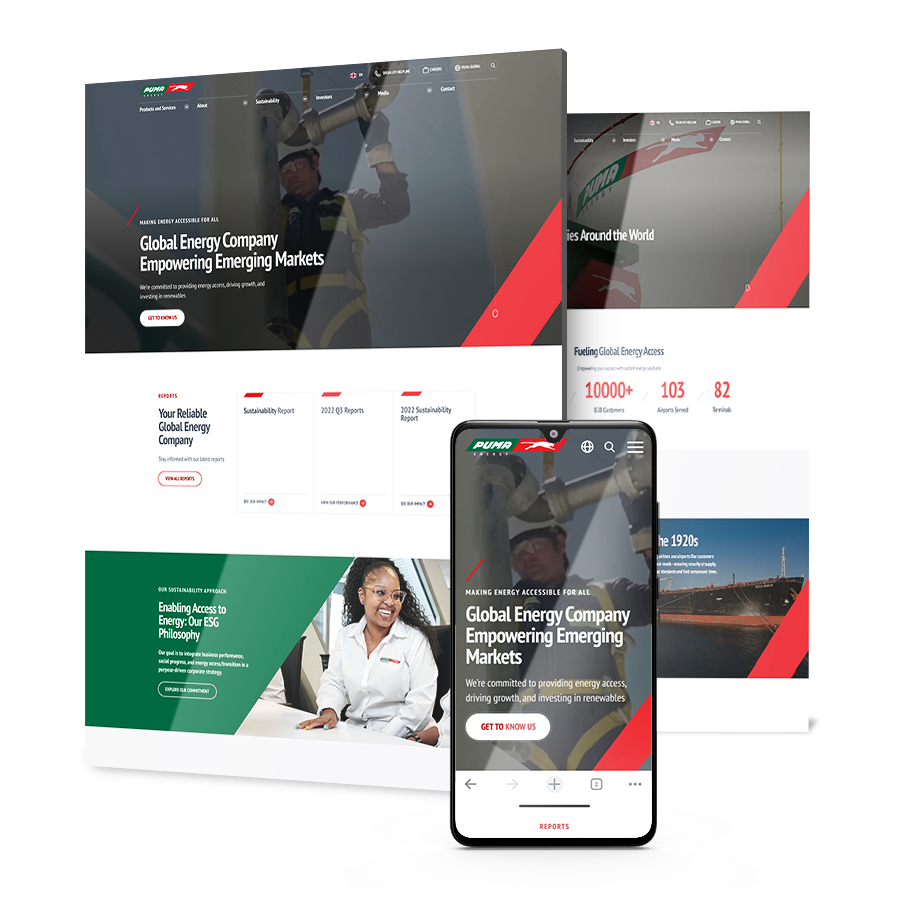
Our team aimed to create a website that better represents Puma Energy’s brand image and drives high-quality UX across devices.
Our modern website redesign included carefully chosen typography, vibrant colors and custom graphics, as well as customized user journeys and a responsive design for mobile.
The result: An increase in user engagement of 63% in just three weeks.
2. CrawlSF
CrawlSF, a San Francisco pub crawl and event organizer, needed a new website that improved user experiences without damaging existing traffic and site authority.
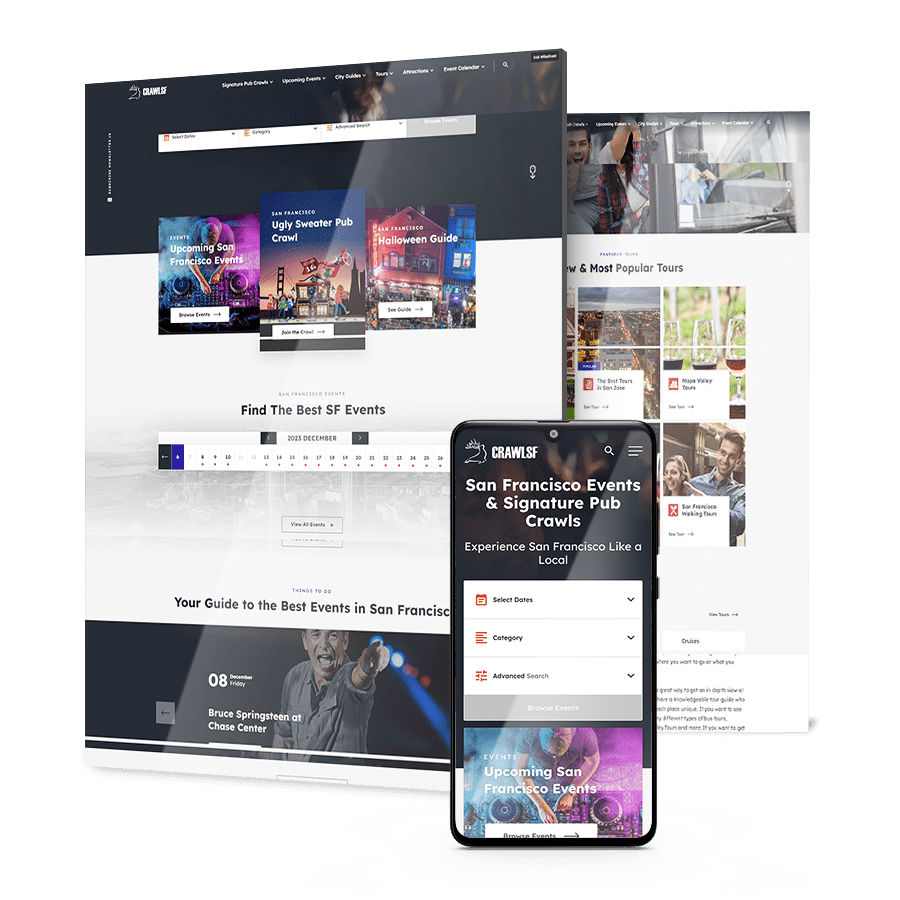
Through a mix of UX design and technical SEO solutions, our team worked to refresh CrawlSF’s website while maintaining search engine visibility and credibility.
Specifically, we delivered a new, intuitive sitemap, improved site speeds and created a responsive design.
The result: 23.41% more users and a 213.89% increase in average session duration year-on-year.
3. Vacca Family Law Group
Digital Silk partnered with Vacca Family Law Group to redesign a website that better reflected the firm’s authority, discretion and evolving brand after an underperforming vendor build.

The new experience was rebuilt around authority-led messaging, clearer service structure and user flows that help high-net-worth visitors quickly understand their options and next steps.
Structure, content hierarchy and performance were refined to improve engagement, mobile usability and long-term SEO while giving the firm a scalable WordPress foundation.
The result: a 105.1% boost in active users and a 75.91% increase in engaged sessions since launch.
4. Procom Services
Procom Services needed a website that could clearly explain its offerings while supporting audiences across multiple regions and languages.

Digital Silk restructured the site around a simplified service hierarchy, introduced multilingual support and rebuilt the experience with performance and scalability in mind.
The new platform makes it easier for visitors to understand what Procom does, navigate between services and engage without friction, while giving the business a flexible CMS for ongoing growth.
The result: engagement time increased by 22.69% and session duration grew by 16.28% following launch.

Signs You Need A Website Redesign
A website rarely breaks overnight, but it does start to fall behind in ways that affect how buyers evaluate risk, credibility and intent.
These signals tend to appear in engagement patterns, sales feedback and internal workarounds long before traffic drops.
Use the indicators below to assess whether your website is still supporting growth or working against it:
- Prospects ask basic questions before the first call: If sales conversations spend time explaining services, scope or positioning already covered on the site, the website isn’t doing its share of the work.
- Engagement drops on high-intent pages: When visitors land on service or pricing pages and leave quickly, the issue is usually structure, messaging or trust signals rather than demand.
- Mobile experience feels secondary: If navigation, forms or content hierarchy break down on smaller screens, you’re likely losing qualified traffic before it ever reaches a decision point.
- Content updates require workarounds: When simple changes depend on developers or fragile templates, the site limits speed and responsiveness across marketing initiatives.
- The site no longer reflects how you sell today: If offerings, positioning or target markets have evolved but the website still reflects an earlier version of the business, buyers will notice the gap.

Redesign Your Website With Digital Silk
Redesigning your website is no small task, as it takes expert knowledge to manage the moving parts of any website redesign checklist, from strategic research and planning to technical implementation.
That’s why at Digital Silk, we take ownership of your project.
We operate with a team of award-winning designers and experienced developers to produce an on-brand, superior website redesign that meets your goals.
What’s more, each of our client’s receives a dedicated senior-level strategist to ensure no checklist item is left unchecked.
As a full-service web design agency, our services go beyond website redesigns. We grow brands online with a range of digital solutions, including:
- Custom web design
- Custom web development
- eCommerce design and development
- Digital branding
For every project, we ensure:
- Project ownership
- Total transparency
- Measurable results
Contact our team, call us at (800) 206-9413 or fill in the Request a Quote form below to redesign your website today.
"*" indicates required fields
