-
Executive expectations are rising: With leaders prioritizing seamless UX and lead generation, tools must support higher standards in build quality and upkeep.
-
Choose tools by business fit: Features, ease of use, total cost, integrations, customization and collaboration should align with your team’s workflow and goals.
-
Tools shape launch speed and revenue impact: The right platforms reduce delays, improve usability, enable ongoing testing and keep the site reliable as demands increase.
Your website is the only asset that must show your value, guide the experience and convert demand in the same moment, without the benefit of context or conversation.
77% of executives say it must deliver a seamless user experience over the next three years, while 59% of them will rely on it as their primary lead generation channel, which raises the bar on how it’s built and maintained.
When performance slips, it’s rarely about taste or talent, it’s about whether the tools behind the scenes can support speed, scalability and consistency at the level your business demands.
Below are the 25 best web design tools for building a website that earns attention, drives demand and keeps pace with executive expectations.
What To Look For In A Web Design Tool
Before we get into the full list, we’ve outlined the key selection criteria for the best web design tools in 2026.
Whether you’re looking for a general tool to help you organize the planning process or a specific tool that allows you to map user journeys, for example, consider:
- Features: Analyze the specific features of the tool, such as drag-and-drop design aspects, code generators or rapid prototyping, to see how they impact the tool’s impact on your web design process.
- Usability: See how easy the tool is to use and match it to your web design skills.
- Price: Calculate the ongoing costs of the tool and determine if it aligns with your project budget.
- Integrations: Research how the web design tool can be combined with other tools or platforms that you will use to streamline your processes.
- Customizations: Check how you can tailor the tool to fit your branding or specific website requirements by searching for widgets, specific design capabilities and so on.
- Collaborations: Find out whether your team can work on projects together with real-time editing, feedback and cloud-based functionalities.

Best Tools For Website Planning
A website is only as strong as its structure, so you should use the following
In fact, 37% of online shoppers say that bad navigation is a main reason they leave a website.
Use the following tools to lay the foundations of your web design process, from structuring the conversion funnel and streamlining your user journey to organizing your internal planning processes.
1. UXPressia
UXPressia is a provider of customer experience tools and user journey mapping solutions.
Using website planning tools like UXPressia can enhance user engagement and satisfaction by structuring a layout that helps your target audience easily find what they are looking for.

Features
- Adaptable journey mapping and user persona templates
- Drag-and-drop processes
- Cloud-based collaborative options for teamwork and shared projects
Pros
UXPressia’s templates and intuitive interface simplify the process of customer journey mapping and user persona creation.
This way, you can visualize your site’s layout before it reaches the design phase and without the need of specialist support.
Cons
Some users find the interface to be slow and cumbersome, despite its easy-to-understand nature. Working from UXPressia’s journey mapping and user persona templates can also limit customization, due to editing restrictions.
Price
UXPressia offers a free plan, along with three subscription-based pricing packages:
- Pro (for larger teams): $36 per user
- Business (enterprise-level procurement): $95 per user
- Enterprise (for large organizations and agencies): Custom pricing
2. FlowMapp
FlowMapp is a website planning tool that helps you create sitemaps, plan projects and design user flows for websites.
Like UXPressia, FlowMapp helps you outline your desired user flows to structure a conversion funnel that is optimized to meet your goals, whether that’s sales, signups or subscriptions.

Features
- Visual sitemap and user flow and wireframes editor
- Real-time collaborative editing
- Design tool and project management platform integrations
Pros
FlowMapp offers simple-to-use sitemap and user journey creation tools, so you can create straightforward, visualized plans for your website’s user journeys and content structure.
Its real-time editing and commenting also makes FlowMapp a useful tool if your team is working together to plan the initial stages of a web design project.
Cons
While FlowMapp does provide sitemapping generation tools, it lacks a URL site crawler. This lengthens the process if you are looking to adapt the sitemap of your current website, as it requires you to manually input pages.
Price
FlowMapp offers a free plan, in addition to three subscription-based pricing packages:
- Pro (for professionals): $15 a month
- Team (for teams): $35 a month
- Agency (for agencies): $99 a month
3. Trello
Trello is a project management tool that organizes tasks and facilitates collaboration.
Including a project management tool in your web design process will support your project’s workflow organization and task management, streamlining communication and reducing timelines.

Features
- Task and progress management through boards and cards
- Real-time commenting and shared assignments
- Third-party integrations
Pros
Trello has a user-centric approach, allowing you to manage your website design project’s tasks all in one place.
Following the kanban (visual sign) management system and responsive to mobiles, Trello’s tasks and boards are easy to visualize for all devices, screen sizes and team members.
Cons
The free version has limited functionalities, including a lack of user hierarchy and up to 10 open boards (project visualization spaces) per workspace. These limits may restrict more complex project management needs and businesses with larger teams.
Price
In addition to its free plan, Trello offers three subscription-based pricing packages:
- Standard: $5 a month
- Premium: $10 a month
- Enterprise: $17.50 a month, depending on the number of users

Best Tools For Web Design
75% of consumers judge a brand’s credibility on their web design alone, which highlights the importance of having user-centered and conversion-focused interfaces.
Our round-up below shows some of the best web design tools to make sure the user experience is pitch-perfect before it goes live.
4. UXPin
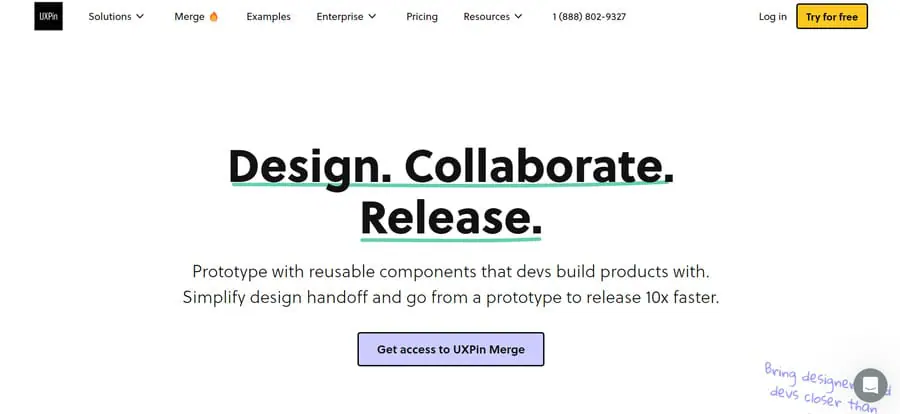
UXPin is a collaborative UI design and prototyping tool that can help you build a template version of your web design.
This way, you can hone your website’s style, features and usability before it hits the development stage.
Features
- Advanced interactions and animations
- Seamless integration with your tool stack
- Combination of codeless design and development capabilities
Pros
UXPin has robust prototyping capabilities and design system management tools that enable your team to create a range of complex design solutions, including UX-optimized interactions, engaging animations and high-fidelity web and mobile app designs.
Cons
Users have found the tool to be slow in places, including its preview and editor functions. With limited customer support options, slow performance and bugs can lead to a frustrating user experience.
Price
The platform doesn’t have a free plan, but offers three subscription-based pricing packages:
- Advanced (for individuals and small teams): $49 a month per editor
- Professional (for midsized companies): $69 a month per editor
- Company (for full package): Custom price
5. Figma
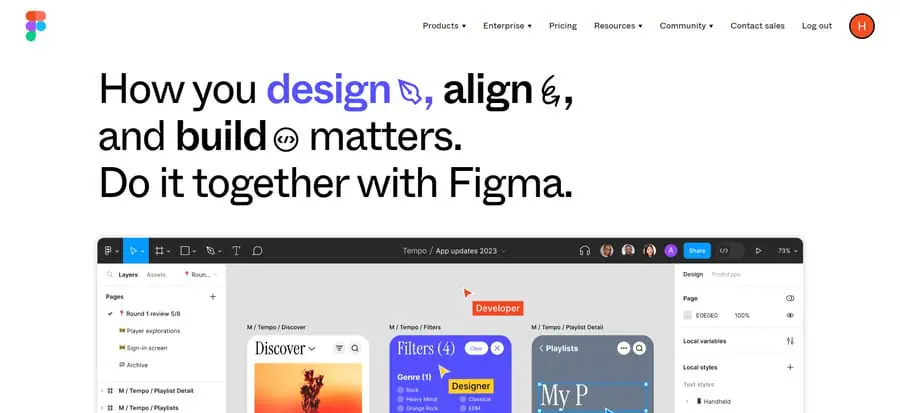
Figma is a collaborative interface design tool that supports the creation of web design prototypes.
With over 13 million monthly users, Figma is a trusted partner in creating website design mockups for businesses of all shapes and sizes.
Features
- Robust design prototyping with interaction and animation capabilities
- An extensive theme library and community support area
- Version history, file management and real-time collaboration features for teamwork
Pros
Figma’s in-depth capacity to create customized web design prototypes is backed by a highly usable interface and design process.
Cons
Creating complex designs will require expert design and development knowledge, as well as a higher price bracket.
Price
Along with its free Starter plan, Figma offers three subscription-based pricing packages:
- Professional: $16 a month for a full seat
- Organization: $55 a month for a full seat
- Enterprise: $90 a month for a full seat
6. Sketch
Sketch is an all-in-one digital platform that focuses on UI design.
By managing multiple parts of your web design and planning process in one tool, you can streamline your project’s organizational flow under one platform, whether you are managing in-house or with external support.

Features
- Vector editing tools, allowing designers to create intricate designs
- An extensive plugin ecosystem
- Integrations with various third-party tools and platforms
Pros
Sketch’s vector editing tool can help you create unique designs, while its plugins and extensions take customization one step further.
Cons
Designing and creating files on Sketch is only available to Apple users, as it operates with macOS. This means that developers or website owners who use different platforms, such as Windows, can only view or download designs.
Price
Sketch provides four major subscription pricing plans:
- Standard: $13 a month per editor
- Business: $22 a month per editor
- Enterprise: $44 a month per editor
- Private cloud: $74 per seat
7. Adobe XD
Adobe XD is a vector-based prototyping tool that lets you imagine the user experience and visualize your designs through interactive templates and wireframes.

Features
- Responsive, mobile-first design prototype possibilities
- Advanced animations and interactions
- File import from other tools such as Sketch or Adobe Photoshop
Pros
Adobe XD’s responsive design features make it an ideal choice for creating designs that cater to mobile devices, as over 58% of all web traffic now comes from mobile.
Cons
The tool is currently under maintenance, with no return date published on the website.
Price
When live, Adobe XD is available as a free trial. Otherwise, you can sign up to Adobe Creative Cloud for $84.99 a month per licence. This provides access to:
- Acrobat Pro
- Photoshop
- Adobe Premier Pro
- Illustrator
- InDesign
8. Lunacy
Lunacy is a graphic design software that provides tools and functionalities to create vector graphics and designs.
While free tools like Lunacy may not have the same functionalities as in-depth design platforms like Adobe, they are a great starting point for smaller projects and tighter budgets.
Features
- UI kits from Microsoft, Google and Apple
- AI image editing capabilities
- Multi-language and offline editing
Pros
Lunacy is a convenient, cost-effective web design tool with countless features and built in graphics to support the design phase for non-professionals and expert web design teams alike.
Cons
The interface can seem cluttered and not all features are available on the free version.
Price
While the platform’s major selling point is its feature-packed free version, it also offers two priced tiers:
- Pro (for solo designers and teams): $11.99 per month per user
- Enterprise (for large teams): Custom pricing
9. Marvel
Marvel is a web-based design and prototyping platform that can help you speed up the web design process, offering quick solutions to creating engaging designs and passing them onto the development stage.

Features
- Codeless design prototyping and wireframing tools
- Extensive theme library and developer handoff functionality
- User testing and feedback collection
Pros
Marvel’s cloud-based web design possibilities support shared designs, making it an ideal tool if your web design project has multiple contributors.
Meanwhile, its user testing features allow both designers and website owners to see how visitors interact with their designs before they go live.
Cons
There is no offline mode, limiting accessibility if you or your design team are on the move.
Price
Aside from the standard free plan, the platform has three subscription-based pricing packages:
- Pro (for individuals): $16 a month
- Team (for small teams): $48 a month
- Enterprise (for large organizations): Custom pricing
10. Google Web Designer
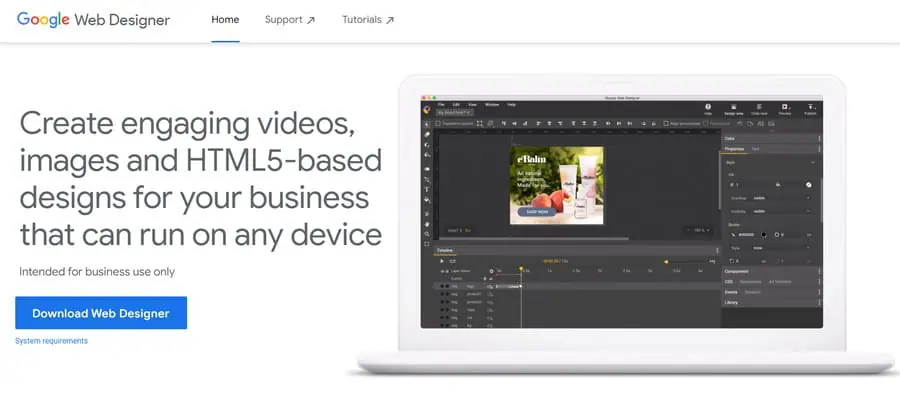
Google Web Designer is a free web design and motion graphics tool.
By using Google Web Designer, a website designer (or someone with basic coding knowledge) can create custom-coded components to connect your website with your wider visual identity.
Features
- Quick or advanced mode animation, and drag-and-drop interaction, design options
- Integrations with a range of other Google tools and platforms
- Extensive web design template gallery
Pros
Google Web Designer supports the creation of creative designs that engage visitors across devices. Web designers can also create captivating interactions and animations through the platform’s motion graphics tool.
Cons
There is a lot to take in on the interface. Beginners might struggle to understand how to make the most of the tool that requires coding knowledge to see the best results.
Price
- Free
11. InVision Prototype
InVision Prototype is a prototyping platform that delivers a user-centered design approach and efficient collaboration among team members.

Features
- Interaction design creation, such as hotspots, transitions and overlays
- Real-time collaboration and feedback
- Responsive, multiple device design specs
Pros
InVision Prototype’s focus on interactive and animated design features will help you create engaging experiences that feel real, without any code. Subscriptions also include access to Freehand, a digital whiteboard project management tool.
Cons
To access the full suite of features (including added security), you will have to request a custom quote for the enterprise pricing plan.
Price
InVision Prototype offers three subscription-based pricing packages in addition to its free plan:
- Starter (for individuals and small teams): $8 a month per member
- Business (for cross-collaborative teams): $16 a month per user
- Enterprise (for organizations with advanced needs): Custom pricing

Best Tools For Website Building & Development
Whether a dedicated website development platform or simplified website builder, you’ll need to utilize development tools to build, test and manage your website design.
The best tools for website development include:
12. WordPress
WordPress is the world’s most used content management system (CMS), powering roughly 43% of all websites.
Accessible for all types of web design projects, WordPress can help you create a customized business website tailored to your level of design expertise.

Features
- Both coding or codeless custom design and templated functionalities
- User-friendly content management with community support
- Countless integrations, themes and plugins
Pros
WordPress’ countless themes and plugins mean that it works well for businesses of all sizes and industries.
Whether a content-based news outlet, an eCommerce store or an agency’s digital presence, you can tailor your WordPress site to meet your audience and targets.
Cons
Although it is seen as user-friendly compared to complex platforms (like Magento), managing a WordPress website is still more complicated than simplified website builders like Squarespace.
The platform is also prone to security breaches, meaning website owners need to stay on top of plugin maintenance and updates, something only 55.11% of websites currently do.
Price
- Free
13. Squarespace
Squarespace is a website building and hosting platform.
Like many other platforms with the same functions, it intends to simplify the web design process for all levels of expertise.

Features
- Template designs for responsive websites
- eCommerce features and integrations for online stores
- 24/7 customer support and assistance
Pros
Squarespace is a website building tool that makes web design an accessible process for all experience levels, so it’s suitable smaller companies with limited outsourcing funds. It also offers extensive templates, domain support and extensions.
Cons
The templated approach limits customization and larger, more complex websites may struggle to manage a wider site architecture or implement complex features, such as custom-coded interactions.
Price
Squarespace offers four subscription-based pricing packages:
- Personal: $25 a month
- Business: $36 a month
- Commerce Basic: $40 a month
- Commerce Advanced: $72 a month
14. Wix
Wix is a cloud-based website building platform that allows you to design, develop and manage your website.
Similar to Squarespace, it caters to teams that are looking to build a website without the support of a specialist web design agency.

Features
- Intuitive drag-and-drop interface or automatic website builder
- An app market of integrations and extensions
- 24/7 customer support
Pros
Wix’s easy-to-make, codeless designs can help you build a website without the need for a third-party web design agency, regardless of your industry.
This makes the platform a valuable tool for businesses with tighter budgets or e-stores with smaller inventories who need to create a straightforward digital presence.
Cons
Like Squarespace, Wix is limited in terms of customization. This means any complex website design requirements, like interactive forms, typography or animations, can be difficult to put into practice.
Price
Wix offers four subscription-based pricing packages:
- Light: $17 a month
- Core: $29 a month
- Business: $39 a month
- Business Elite: $159 a month
15. Shopify
Powering 28.2% of total eCommerce sites in the United States, Shopify facilitates the creation and management of online stores.

Features
- Online store builder with customizable theme templates
- eCommerce functionalities, including inventory management, checkout and payment processing and order tracking
- Multi-language functionality in up to 20 languages
Pros
Using Shopify means gaining access to unique capabilities targeted at online stores. Whether managing your online store’s inventory, streamlining your checkout process or driving conversions, Shopify is geared towards creating digital experiences that drive revenue.
Cons
Shopify’s transaction fees can be seen as restrictive, and you will need the support of a Shopify development company to get the most from your online store.
Price
Shopify offers four subscription-based pricing packages:
- Basic (for individuals & small businesses): $39
- Shopify (for small businesses): $105 a month
- Advanced (for mid to large businesses): $399 a month
- Pro (for enterprises): $2,300 a month

16. Magento
Magento, or Adobe Commerce, is an eCommerce platform that creates scalable solutions for businesses with complex e-store requirements.
Like Shopify, it offers specialized features, capabilities and expertise for online stores.

Features
- Multi-brand and site solutions
- Mobile-first design functionality
- Fully integrated payment solutions
Pros
The scalability and extensive customization options make Magento an ideal choice for businesses with complex eCommerce requirements and a need for a highly tailored store that can grow.
Cons
Compared to Shopify, Magento is difficult to use and requires the assistance of experienced developers.
Price
- Custom pricing
17. Webflow
Webflow is a web design and development platform that supports website building and hosting without the need for code.

Features
- A visual editor to create interactive designs without code
- CMS web management and SEO-optimization
- Secure and reliable hosting services
Pros
Webflow works by providing a user-friendly design tool that anyone can use. Once a design is created, Webflow generates the code.
This reduces the need for specialist web development expertise by managing the development step for you with flexible, scalable results.
Cons
Without a mobile app, Webflow is limited to desktop users, which limits its accessibility to those who are constantly on the go.
Price
Aside from its free plan, Webflow offers three additional subscription-based pricing packages:
- Basic (for simple, static sites): $18 a month
- CMS (for content-driven sites): $29 a month
- Business (for larger sites): $49 a month
18. Designmodo
Designmodo is a website and newsletter design building software.
By combining your website and marketing design tools under one roof, you synergize your visual identity through similar design techniques.

Features
- Drag-and-drop website builder and templates
- Custom HTML, CSS & JavaScript setups for advanced designers
- Regular, free updates to match design trends
Pros
With a diverse range of tools, resources and tutorials that discuss how to make the most of the platform’s different features and website building templates, Designmodo is a valuable tool that can be learned in next to no time.
Cons
Customizations and templates are limited, which could hinder your efforts in creating a brand-specific website.
Price
Designmodo offers two subscription-based pricing packages for its products, along with a free plan:
- Business: $59 a quarter
- Agency: $79 a quarter
19. Adobe Dreamweaver
Adobe Dreamweaver is a web design and development tool that allows you to create, code and manage responsive websites.

Features
- A smart, simplified code editing engine with code hints
- Starter templates for HTML emails, landing pages, blogs and eCommerce sites
- Live view frontend editing
Pros
While offering drag-and-drop design functions, Adobe Dreamweaver also supports custom coding. This flexibility means the tool can be utilized by both beginners and expert designers, in turn creating high-quality designs for businesses of all shapes and sizes.
Cons
Some users note that Adobe Dreamweaver generates bloated code, which can negatively impact loading speeds that directly affect purchase decisions for 70% of users.
Price
- $20.99 a month

Best Tools For Website Maintenance
From protecting your site against security breaches to ensuring continued high-performance through fast loading speeds, maintaining your website is a crucial step in the life cycle of your digital presence.
20. Cloudways
Cloudways is a managed cloud hosting platform that offers a range of cloud-based services and solutions that impact performance and security.
With 90% of organizations having at least one exposed attack path for cybercrime, securing your website is a necessary post-launch web design step to take.

Features
- Tech stack to improve site speeds
- Robust security measures and secure hosting environment
- One-on-one customer support
Pros
Cloudways’ web hosting solutions will drastically reduce your time to first bite (TTFB), or how quickly your page loads.
This makes the platform a great choice for content-heavy websites or e-stores with a large inventory looking to streamline their online experience.
Cons
The setup process of Cloudways is considerably more complex than that of regular hosting providers, with new users receiving a set of unclear steps and a lack of onboarding support.
Price
Cloudways offers a range of subscription-based pricing packages, dependent on the host you choose. The price plans for Cloudways, hosted by Digital Ocean, are as follows:
- Micro: $14 a month
- Small: $28-$37 a month
- Medium: $54 a month
- Large: $99-$487 a month
21. Cloudflare
Cloudflare is a content delivery network (CDN) service that focuses on web performance and security.

Features
- CDN to boost loading speeds
- Security services such as DDoS protection, firewall and security analytics
- Domain name system (DNS) management
Pros
Cloudflare blocks an average of 140 billion security threats a day, which makes it crucial for maintaining your website’s performance and sensitive information.
Cons
Cloudflare’s security and site performance capabilities aim to improve website loading speeds, but some users with heavy websites actually report performance degradation.
This can harm both short-term revenues for eCommerce websites and long-term brand loyalty for all forms of businesses.
Price
Cloudflare offers a range of separate subscription-based packages for its products. The security and performance application services are priced as follows:
- Free (for personal projects)
- Pro (for professional websites): $20 a month
- Business (for small businesses): $200 a month
- Enterprise (for mission-critical applications): Custom
22. LambdaTest
LambdaTest is an AI-powered testing cloud platform that allows you to perform both automated and manual browser compatibility testing for your web applications.

Features
- Real-time cross-browser testing capabilities
- Automated testing features
- Cloud-based project and feedback sharing
Pros
LambdaTest can help you streamline the web application testing process. Offering either live testing or automated testing solutions, you can run immediate tests or establish ongoing testing to ensure the continued performance of your web or mobile apps.
Cons
Users have reported a slight lag when running tests, but this is to be expected when controlling a testing machine over an internet browser.
Price
LambdaTest offers a range of subscription-based packages for its products, in addition to its free plan:
- Live: Starting at $19 a month
- Real Devices Plus: Starting at $49 a month
- Enterprise: Custom pricing

Best Tools For Website Marketing
Marketing tools can help you reach a wider audience and improve engagement with users across channels and touchpoints.
With 78% of executives pointing to full-funnel marketing as a top priority, the right tools help ensure your website attracts, engages and converts prospects at every stage of the funnel.
23. Klaviyo
Klaviyo is an email marketing automation platform that can be integrated with your website or online store.
By combining your email marketing and website campaigns, you can connect your digital marketing in a way that helps visitors discover more of your touchpoints, which can boost brand recognition, awareness or loyalty.

Features
- Over 300 pre-built eCommerce integrations such as Shopify, Magento and WooCommerce
- Automated website messaging and pop-ups
- Data-segmentation of audiences to target sign-up forms and other campaigns
Pros
Klaviyo’s extensive integration capabilities help it to seamlessly connect with your website, whatever your industry or CMS.
This helps businesses of all sizes drive lead generation and conversion through an interconnected conversion funnel.
Cons
Smaller business owners with less expert knowledge about email marketing processes or best practices may be disappointed with Kalviyo’s expensive pricing packages and user complaints about poor customer support.
Price
Klaviyo offers a range of subscription-based packages for its products. Its core package costs are based on the number of contacts.
For example, a business with 1,001-1,500 contacts per month could either use the free plan with 250 messages or pay:
- Email: $45 a month for 15,000 emails
- Email & SMS: $60 a month for over 15,000 emails + 1,250 mobile messaging credits
24. Canva
Canva is a graphic design tool that you can use to create designs for both your website and marketing materials.
From suggested graphics to AI image editing tools, Canva opens up design possibilities to those with no experience at all.

Features
- Drag-and-drop design editing and templates
- Image upload and editing solutions
- Live design collaboration for teams
Pros
Canva is an accessible platform that provides an extensive library of tools in a user-friendly interface for beginners, while also supporting integrations and customization.
As a result, you can create high-quality graphics for your website’s landing pages and blogs, as well as cross-channel marketing collaterals, without the need for specific design knowledge.
Cons
Canva does not have the design capacity of prototyping tools. This limits the platform to singular website graphics and marketing materials, instead of full-scale website mock-ups.
Price
Aside from the free plan, Canva offers three subscription-based pricing packages:
- Pro: $120 a year for one person
- Business: $200 a year per person
- Enterprise: Custom pricing
25. Adobe Express
Adobe Express is a design tool that allows you to craft graphics, web pages and video stories.

Features
- All-in-one editor of multiple marketing materials
- Image-generating AI functionalities
- Integration with Adobe Creative Cloud
Pros
Adobe Express is an easy-to-use design tool that lets you create custom, on-brand graphics and reels with the help of design templates and intuitive functionalities.
Cons
Adobe Express comes as an update to the former Adobe Spark tool, and while other areas of the tool saw significant upgrades, there are no new webpage design features with this update.
Some users also report interface issues, such as unexpected menus appearing after certain actions.
Price
Adobe Express offers two subscription-based pricing packages, along with its fre plan:
- Express Premium: $9.99 a month
- Firefly Pro: $19.99 a month

Why Choosing The Right Web Design Tools Matters
The tools you pick determine how quickly your ideas turn into live pages, how consistently the experience meets expectations and how much revenue the site can realistically support.
Here are the key reasons this matters as your website takes on more responsibility across marketing, sales and growth:
- Faster launches that drive revenue sooner: Tools built for structured workflows and reusable components reduce delays and last-minute fixes, helping new pages and campaigns go live when demand is highest.
- User experience that protects top-line performance: Poor user experience can cost businesses 35% of potential revenue, making usability, accessibility and performance core business concerns.
- Higher conversion rates through continuous improvement: Well-executed UX design can increase conversion rates by up to 400%, and the right tools make testing, iteration and optimization part of day-to-day execution.
- Retention that keeps prospects coming back: 88% of online consumers are less likely to return after a bad experience, which makes consistency, speed and reliability across every page a priority.
- Alignment that prevents costly drift: Shared systems, version control and structured feedback reduce misalignment as more stakeholders contribute to the site over time.
Build Your Website With Digital Silk
If you’re not sure where to start, or you want to take advantage of some of the more complex web design tools above, our team at Digital Silk can help.
As a website design agency, our team of designers, developers, website strategists and other digital experts stay up-to-date with the latest tools, technologies and best practices for bespoke web design across industries.
We’ll help you identify the best tools for your project to build a unique solution for your brand.
At Digital Silk, we offer a wide range of services, including:
- Custom web design
- Custom web development
- eCommerce web development
- Website redesign
- Premium marketing solutions
With every project, we guarantee:
- Project ownership
- Total transparency
- Measurable results
- Expert guidance
Contact our team, call us at (800) 206-9413 or fill in the request a quote form below to tell us more about your web design project.
"*" indicates required fields