
Dark Mode
Share
88% of users won't return to a site after a bad experience — and the UX vs UI difference is where it starts. Digital Silk's Head of Design explains what each really means for your website.


Published: July 1, 2026
UX vs UI Design: Key Highlights
-
UX is the architecture of your digital product. UI is its visual layer. Get the structure wrong and no amount of beautiful design will fix it.
-
The most common client mistake is approving a design based on personal taste or copying a competitor’s UI.
-
In 2026, AI can generate polished interfaces in seconds. It still can’t tell you if you’re building the right thing. That’s still what UX is for.
Carlos Roese has spent over 15 years bridging the gap between UX vs UI design and what that distinction means in practice for real businesses. He’s led award-winning design projects for global brands, including Fiat, John Deere, Legrand, Marcopolo, Gedore and Savvas Learning.
As Head of Design at Digital Silk, he works across UX strategy, UI design and brand identity, championing a research-first approach in which function always comes before form.
It’s an approach backed by the numbers: every $1 invested in UX design can return up to $100, 75% of users judge a company’s credibility by its website design and companies that treat design as a strategic priority achieve 32 percentage points higher revenue growth than their peers, per McKinsey’s five-year study of 300 public companies.
We sat down with him for a candid conversation about the UI vs. UX distinction, the most common mistakes he sees and how AI is reshaping both fields.
UX Is How It Works & UI Is How It Looks
If a client asked you right now, in plain English, what’s the difference between UX and UI design, what would you tell them?
Carlos: Think of an architect designing a new home. He knows where the kitchen is, where the living room is, and where the bathroom is. That’s UX. It’s the structure, the logic and the decisions about how everything fits together for that particular client and situation. Now, once the house is built and set in stone, it’s time to paint, choose the furniture and do the decoration. That’s UI. That’s how it looks once the structure is ready.
“UX is how it works. UI is how it looks. An ugly old car that functions is preferable to a beautiful one that is inaccessible.
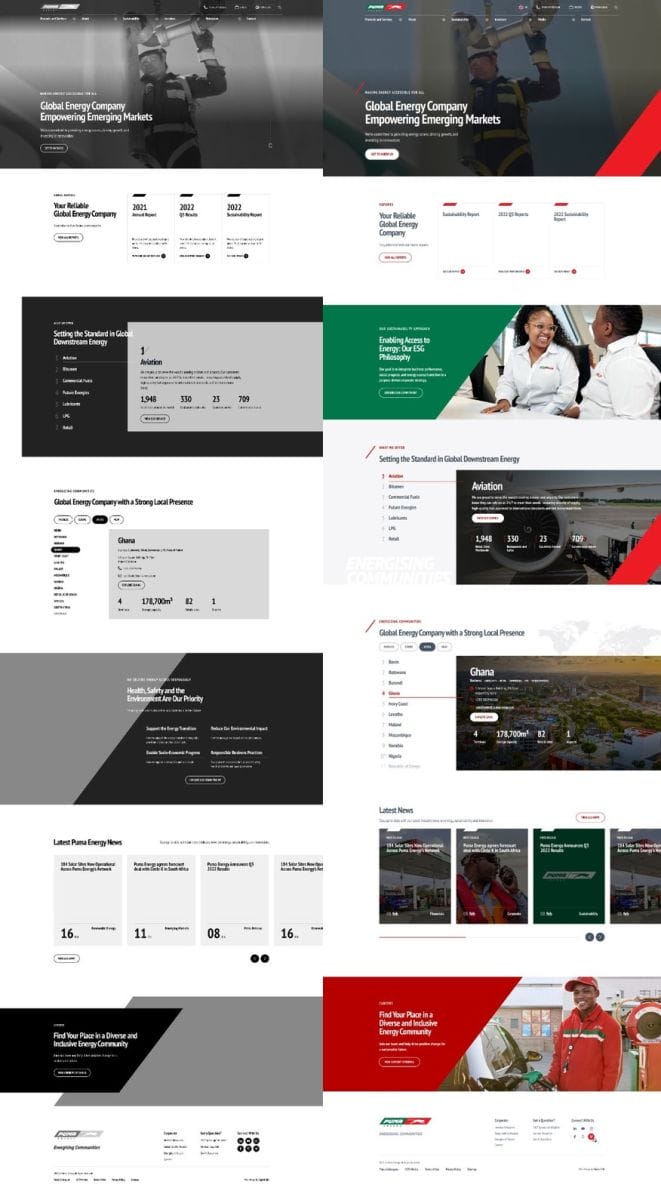
The transformation below shows exactly what Carlos means, from UX wireframes to the final UI.
The Most Common UX vs UI Mistake Clients Make
You’ve been in this industry for 20-plus years now. What’s the most common mistake you’ve seen clients make when they confuse UX with UI or treat them as the same thing?
Carlos: The biggest one is when a client requests a design because they believe it looks appealing to them. Then it ships to real users and they figure out it doesn’t work. They graded the paint job and missed that the engine was missing from the car.
| The Wrong Approach | The Right Approach |
| Design chosen because it looks good to the client | Design built around how users actually behave |
| UI decisions made before UX is understood | UX research completed before any visual work begins |
| “Make it look like our competitor’s site” | “Let’s understand what makes your users convert” |
| Copying competitor features directly | Standing out with purpose-built functionality |
| Looks polished in the demo | Performs and retains in production |
| Personal preference drives direction | User data and testing drive direction |
Do you see clients looking at competitors and just saying, “Give me that”?
Carlos: One hundred percent. “My competitor has this feature, so I should have it too.” If your competitor has something, it doesn’t mean you should have it the same way. You should stand out, not copy. What happens in practice is that clients make UI decisions based on what they see elsewhere and that ends up guiding the whole project in the wrong direction. The hardest part is guiding them to the right decision while making them feel genuinely heard. That’s where experience really matters.
“They graded the paint job and missed that the engine was missing from the car.”

Looking To Improve Your UX/UI Web Design?
Inside A Real Project: Savvas Learning Company
Can you walk us through how UX and UI actually work on a real project? What does each phase look like in practice?
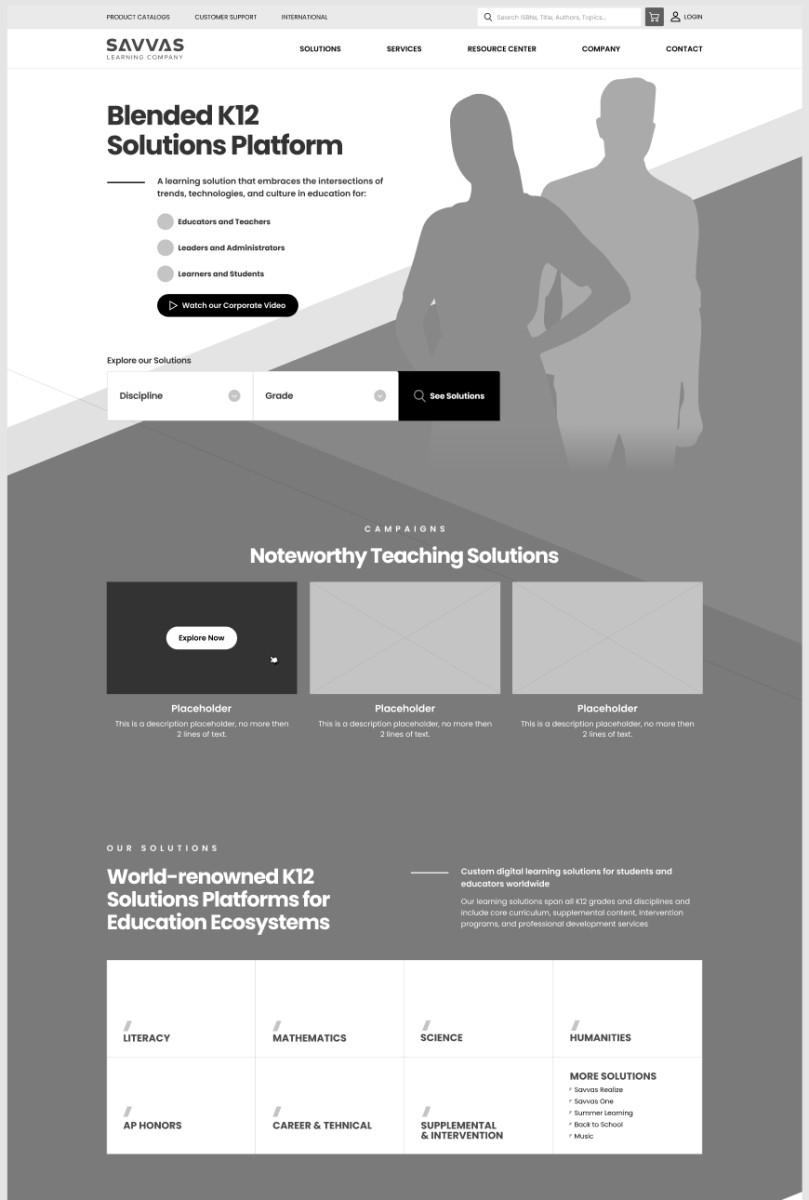
Carlos: I have a perfect example. We built a help center for Savvas Learning Company. They’re a large U.S. education platform that provides study materials and resources for schools. They already had a customer service platform, but just by looking at it you could see the UI wasn’t working. There was too much text and no hierarchy. Users didn’t know where to focus.
It was outdated. So, what was your first step? Did you jump straight to redesign?
Carlos: Not at all. We started by understanding how the platform worked and what the goal was. There’s no way you can suggest improvements if you don’t know exactly how it currently works and what the goal is. Without those two answers, you’re just guessing. So, we ran multiple calls with the client, mapped all the user flows and planned every possible navigation path. Then we condensed the features, reduced the number of clicks and moved into the wireframe phase.
So, the visual design came after all of that?
Carlos: Exactly. Since we’d already designed Savvas’s brand and their current site, we went straight to colored wireframes that reflected their visual system. Once we got those approved, we built interactive prototypes with every screen linked, so you could navigate through the mockup just like a real user would. The whole point of prototypes is to identify gaps before they become live problems. Savvas ran internal testing with multiple teams, and we caught up on fixed issues that wouldn’t have been obvious from a static design. The result was a clean, structured help center where users can actually find what they’re looking for.
When Skipping UX Is Acceptable (And When It Isn’t)
Have you ever had a situation where a client came to you after skipping the UX phase entirely and things didn’t go the way they expected?
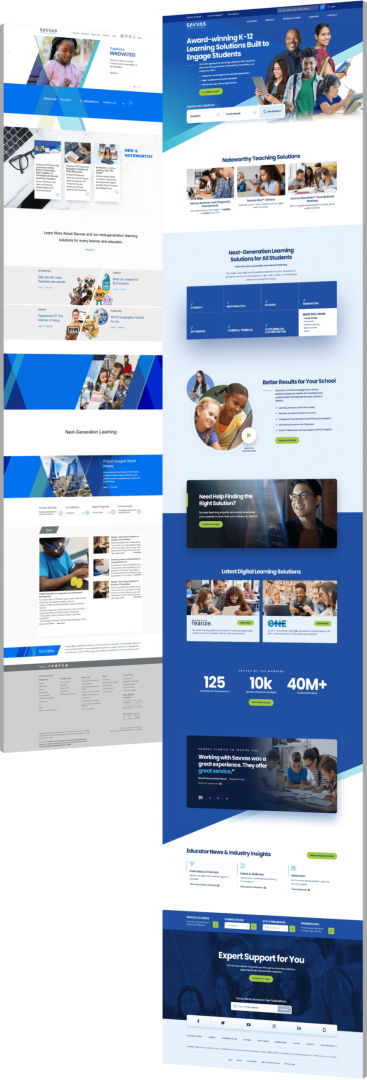
Carlos: It happens. Clients start with a different company, things don’t meet their standards and they come to us for help. When that happens, there’s usually a clear reason behind it. One case where it’s actually fine to skip UX is a reskin. The structure already works, but the client isn’t satisfied with how it looks. Maybe it feels outdated or maybe it doesn’t reflect their current brand. In that case, we give it a fresh coat of paint: new colors, better typography, cleaner spacing. We don’t touch something that already works.
And when isn’t it a reskin? When the UX genuinely needs to work and the client still wants to skip it?
Carlos: If they decide to skip UX on a project that actually needs it, they will run into serious navigation and usability issues. That’s not a guess. It’s one hundred percent certainty. The same logic applies to mobile. I always ask where your users are. If eighty percent of your customers are on mobile, we design mobile-first and let desktop reflect that. You always focus on where your users actually spend their time.
How AI Is Changing UX & UI Design In 2026
Everyone’s talking about AI. From your perspective as a design team leader, how are you using AI in UX and UI work in 2026? What’s helping and what’s still getting in the way?
Carlos: We use AI as a tool. We use it for research, for inspiration, and to explore new ideas. AI is not meant to do our work for us because the goal is to assist us and it is too unreliable to be fully trusted on its own. We treat every project here as unique and it must meet both our standards and the client’s standards. AI can’t guarantee that.
But has it changed the speed of things?
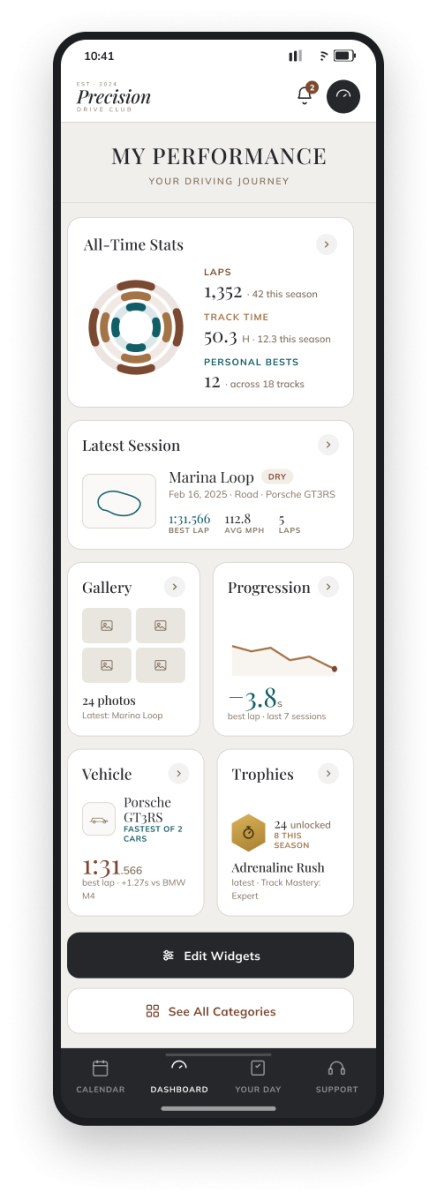
Carlos: Definitely. AI made two jobs blur together. One person can now go from idea to finished screen fast, but it also made the real difference between UX and UI clearer. AI can make something look good in seconds. It still can’t tell you if you’re building the right thing for your business or if it’ll work for your users. The visual layer is getting easier to produce. The thinking behind it, the UX, is what really matters.
Generative AI is already boosting employee output by 66% on average and for UX teams specifically, it’s being absorbed fastest into research workflows.
What about the hype? “Build your site in ten minutes.” Do you see the hype creating false expectations for clients?
Carlos: That’s not how it works, and I want to make that clear because I see it everywhere. Yes, AI speeds things up, but it doesn’t replace the need for an expert team that can communicate with clients, make decisions and test those decisions to see if they land. People always make final decisions.
“Think of a remote control with 15 identical shiny buttons. It looks high-tech, but you don’t know how to change the volume. That’s the difference between UI and UX in one image.
They’re complementary. They’re like puzzles. They must work together, and if you only invest in one, you’re building half a product.”

Get A Quote On Your Web Design Project
Create Your UI/UX Design With Digital Silk
Most websites lose visitors in the first few seconds because the design doesn’t make the next step obvious. Confusing navigation, cluttered layouts, and unclear calls-to-action push people away before they ever reach your offer.
Our team builds interfaces based on how users behave using research, usability testing and clear visual hierarchy to guide visitors toward the desired action.
As a leading Web Design agency, our solutions include the following:
Contact our team, call us today at (800) 206-9413, or fill in the Request a Quote form below to schedule a consultation.
Request A Quote For Your Website Project
Tell us about your website goals and let our experts give you a custom proposal
"*" indicates required fields


