15 eCommerce Marketing Strategies To Boost Your ROI
Stop funding a leaky funnel with more ad budget. Learn 15 eCommerce marketing strategies that grow conversions, average order value and repeat purchases.


-
Ads magnify what’s already there: If most visitors leave before reaching a product page, extra budget funds a bigger leak rather than more orders.
-
Load time is an acquisition cost: You pay for the click either way, so every extra second past two raises what a customer actually costs you.
-
AI search is still open ground: Spec tables in text, plain-language FAQs and product schema get you quoted by assistants most competitors haven’t touched yet.
-
Learn from success stories. We have published over 100 different case studies on Digital Silk, showcasing how we’ve helped brands grow and expand thanks to proven marketing strategies we’ve implemented.
Selling online has never been more crowded, and the money moving through it explains why.
Global eCommerce revenue is expected to reach $5.05 trillion by 2030, which means more brands bidding on the same keywords and more shoppers comparing you against four other open tabs before they buy.
Plenty of stores run ads, send emails and post daily, then watch their return on ad spend slide anyway.
Below, we explore 15 eCommerce marketing strategies to help you pull in better traffic, convert more of it and earn more from the customers you already have.
What Are The Best Marketing Strategies For eCommerce?
With 92% of U.S. consumers shopping online, your customers are already comfortable buying from a screen.
What separates a store that grows month after month from one that plateaus usually comes down to how well its channels hand shoppers off to each other.
The 15 strategies below run across discovery, conversion and retention, with results from projects we’ve delivered.
Each example links to its full project, and you can also browse the other online stores we’ve built and grown to find a brand closer to your own category.
1. Build Your Site Structure Based On How People Search
Most stores group products the way their warehouse does, by brand or SKU family. Shoppers search by problem, use case, size, material and price instead.
Do your keyword research before anyone locks the sitemap, because every collection page you skip is a search result you hand to a competitor for free.
Once you know what people search for, you can build pages that match that demand and write category copy that earns the click rather than repeating the product names below it.
We ran into exactly this with Buddha Brands, a plant-based snack and drink brand we rebuilt on a custom eCommerce platform while it was pulling roughly 8 organic visits a month and ranking for just 6 keywords in the top 100.

Our SEO strategy started with keyword research and a sitemap mapped to what people search for, then we reworked the conversion funnels and page messaging for the collections shoppers would land on.
Organic traffic grew about 86 times over, and the number of pages ranking in Google climbed 900%.

2. Answer Pre-Purchase Questions With Content
Buying guides, comparison pages, fit and sizing help, care instructions and process explainers all catch people weeks before they’re ready to spend. That earlier visit gives you three things at once: a shot at brand recall, a retargeting pool and a page other sites can link to.
Content also has an impact on the product page, since shoppers who understand how something is made ask fewer questions and return fewer orders.
For example, our redesign for custom wheel brand ANRKY had to account for a purchase people research for months before buying.

Our content strategy turned the brand’s engineering steps into a dedicated process page and added a resources section to grow long-term search authority around luxury and exotic wheel searches.
Since launch, organic traffic is up roughly 40%, keywords ranking in the top 3 positions grew more than 15 times over and the number of pages generating organic visibility rose about 3.5 times.
3. Clean Up Your Product Data Before Spending More On Ads
Your product feed powers Shopping ads, Performance Max, marketplace listings and most retargeting. Sloppy titles, missing GTINs, empty attributes and low-resolution images can shrink how often your products show up, no matter how much you raise the budget.
Fix the titles first by writing them the way people search, then fill in color, size, material and gender fields, then add custom labels for margin tier and stock level.
Once those labels exist, you can bid harder on the products that actually make you money and pull back on the ones that don’t.
4. Make Your Products Easy For AI Tools To Quote
A growing share of product research now starts inside AI assistants, which pull from spec tables, FAQs and review content rather than your hero banner.
Give them something to work with: plain-language answers to common questions, spec tables in text instead of images, structured data for products and reviews and a shipping and returns page that states the terms in full sentences.
Then set up a segment in your analytics to watch referrals from AI tools, because that traffic converts differently and deserves its own read. Most competitors haven’t touched this yet, which makes it one of the cheapest advantages available right now.
5. Fix The Browse Stage Before Buying More Traffic
Ad spend hides a browse problem, but it never solves one. If people land on a collection page and leave before reaching a single product, the money you add to Google or Meta just funds a bigger leak.
Look at how many SKUs appear above the fold, how useful your filters are and how long the page takes to respond when someone taps a filter chip on a phone.
Our UX rebuild for cable tie manufacturer ZipTie started with 87% of users leaving before they ever reached a product page.

As part of a wider digital marketing program, we remapped the categories, connected blog content to the collections it supported and merchandised the listings with useful filters and more than 20 SKUs visible without scrolling.
Browse-stage abandonment fell to 68%, collection page traffic rose 572% and the conversion rate lifted 353% to 3.61%.
6. Turn Product Pages Into Decision Pages
A product page has one job, which is to answer every objection standing between someone and the buy button.
That usually means photos of the item in use, honest sizing guidance, materials, delivery timelines, the returns policy in plain words, reviews from people with similar concerns and a short comparison against the next model up.
Thin product copy pushes shoppers to Google, and Google often sends them to a marketplace listing instead of back to you.
Our storefront rebuild for yacht crew uniform brand Smallwood’s Yachtwear had to sell a category where fabric, fit and customization all matter.

Our team reworked how the products get presented and wrote service content covering customization, fittings and after-sales support, so the questions crew buyers ask in a showroom get answered on the page.
Traffic rose 80%, sessions grew 95% and engaged sessions climbed 45%.
7. Add Guided Selling When Your Catalog Gets Complicated
Some products people simply can’t buy without help. Fitment, compatibility, dosage, room size, skin type and vehicle year all create a moment where shoppers freeze and close the tab.
A configurator, quiz or product finder replaces that guesswork with three or four questions, then hands back a short list. You also get a bonus dataset, since every answer tells you what your customers own, want and struggle with.
Our redesign for RV awning retailer ShadePro had to handle a catalog where the right part depends on the rig.

We mapped the buying journey around a custom sales configurator that recommends products from what the customer tells it, then reworked the navigation and on-page prompts to send browsers into that tool early.
Daily revenue jumped 155.8% within weeks of launch, and performance held steady after that.
8. Treat Website Load Time As A Marketing Cost
Every extra second of load time raises your true cost per acquisition, because you pay for the click either way.
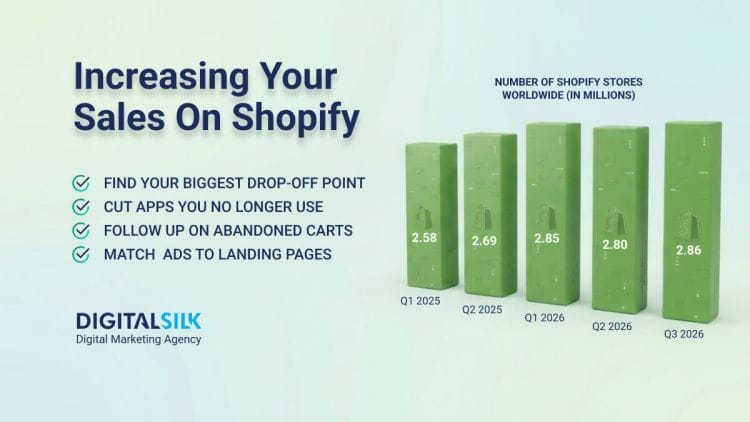
Compress and resize the all image formats, cut apps you no longer use, defer third-party scripts and check your slowest page on a mid-range phone over mobile data rather than office Wi-Fi. Speed work rarely feels exciting, though it lifts every channel at once instead of just one.
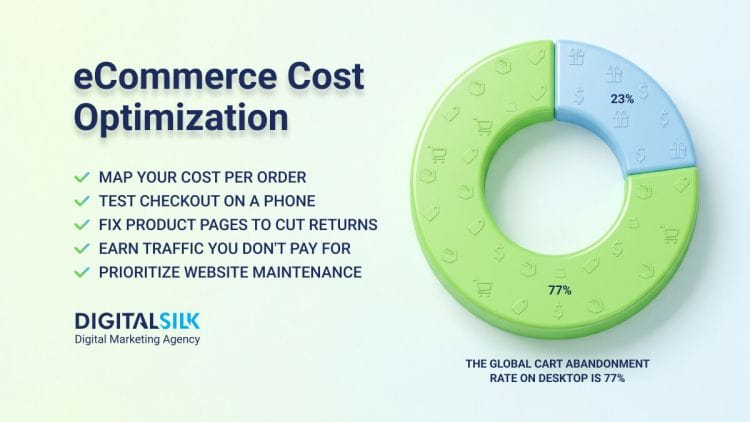
When we audited the site during our eCommerce platform rebuild for G2 Esports, pages averaged 6.23 seconds to load, well past Google’s under-two-second guideline. Conversion sat at 0.65% with cart abandonment as high as 70.58%.
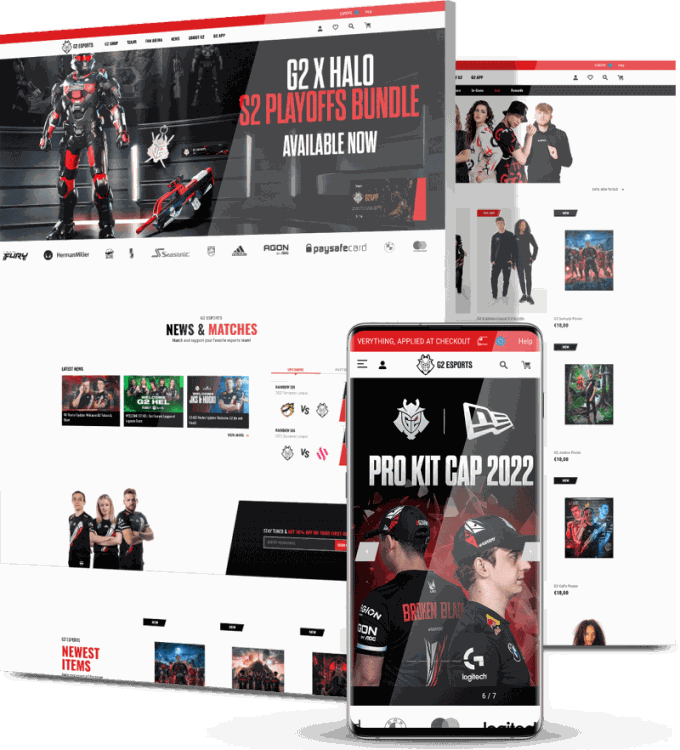
Alongside a faster shopping experience, we mapped a phased onsite marketing roadmap covering lifecycle emails, retargeting, newsletter growth and social integration, so the attention G2 earns from its fanbase has somewhere to land.
That kind of roadmap sits at the center of our digital strategy work for online retailers, where the plan decides which channel gets fixed first and which one waits.
9. Cut Steps Out Of The Path To Checkout
Shortening forms helps, removing whole steps helps more. Look for anything that interrupts momentum: a forced account creation, a shipping calculator that reloads the page, an upsell modal between cart and payment or a discount field that sends people off to hunt for codes.
Add express checkout, save addresses for returning buyers and show total cost early so nobody gets surprised at the last screen.
Our checkout rebuild for online dog training platform Absolute Dogs started with a flow that made it hard to add courses, upgrade to a membership or finish paying.

We rebuilt the conversion funnels around a simpler journey, wrote the CTAs and placed upsell prompts at the points where a membership makes sense.
In the first month, add-to-cart actions rose 77.88%, organic search sessions grew 32.44% and completed purchases climbed 35.63%.
10. Bid On Paid Search With Margin In Mind
Revenue-based ROAS targets treat a 60% margin product the same as a 12% margin one, which slowly steers your budget toward your least profitable catalog.
Split campaigns by margin tier using those custom labels from earlier, set different targets for each and separate brand from non-brand so your reporting doesn’t flatter itself.
If repeat purchase rates differ across products, factor lifetime value into what a first order is worth to you. Some stores discover a product they’ve been scaling for months loses money on every sale once shipping and returns land in the math.
Pro tip: If your account has grown past what one person can audit each week, an experienced paid search team can restructure your campaigns around profit and tighten your bidding so spend follows the products that actually pay you back.
11. Retarget By Behavior, Not One Big Audience
Lumping every visitor into a single “all site traffic” pool wastes budget on people who bounced in four seconds. Build separate audiences for product page viewers, cart abandoners, past buyers and high-value buyers, then give each a different message.
Cart abandoners often just want reassurance about shipping or returns, while past buyers respond better to a new arrival or a refill reminder. Cap frequency and exclude recent purchasers, since nothing sours a new customer faster than seeing an ad for something already sitting in their hallway.

12. Build Email And SMS Flows Around Real Triggers
Broadcast campaigns pay the bills, though automated flows quietly out-earn them per send. The core set covers welcome, browse abandonment, cart abandonment, post-purchase education, replenishment, back in stock and win-back.
Write each one around what the person just did rather than what you want to sell this week, and keep SMS for time-sensitive moments so it doesn’t wear out its welcome. Owned channels also protect you when ad costs spike, because you can reach your list without entering an auction.
13. Design For Where Your Traffic Actually Comes From
Traffic sources shape behavior. Someone arriving from a 20-second video already knows the product and wants a fast path to buy, while someone from a Google search wants specs and proof.
Check your analytics for device split and referral source, then build the experience your majority actually uses instead of the desktop layout your team reviews on a laptop.
You can see this in our mobile-first storefront build for TikTok-grown brand R&W Co., where more than 95% of post-launch sessions came from mobile.
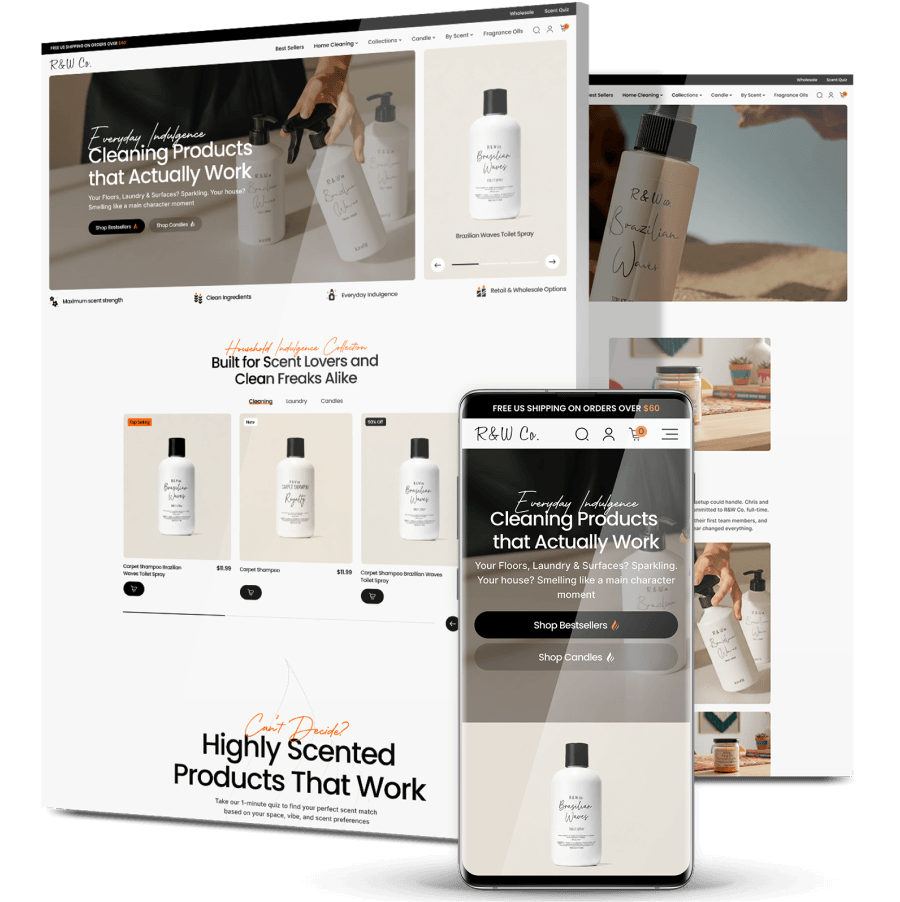
We carried that same tone of voice from its social content into the store, rewrote the product pages with richer scent descriptions and shortened the path from video to cart.
Sales rose 42%, fulfilled orders grew 60% and the store passed six figures within 36 days of launch.
14. Raise Average Order Value Before Buying More Clicks
Lifting average order value costs nothing in media spend and improves every campaign’s economics at once.
Bundle products people already buy together, set a free shipping threshold slightly above your current average, add relevant cross-sells at the cart rather than the product page and offer volume pricing where it fits. A 15% AOV lift can matter more than a 15% traffic lift, since the traffic comes with a bill attached.
For our U.S. market launch work with global luggage brand Rollink, we ran a 360-degree marketing program covering SEO and link building, PPC, retargeting, email newsletters and an affiliate network with influencer giveaways.

Total visitors reached 730,000 in the first year, time on page rose by 78 seconds and average order value climbed to $205. U.S. revenue grew fivefold after launch.
15. Give Retention Its Own Plan And Budget
Acquisition gets the budget and the meetings, while retention usually gets whatever time is left over. Give it a dedicated owner and a few specific numbers to move: repeat purchase rate, time between orders and revenue per customer.
Some strategies include a subscription option for consumables, a simple points program, packaging inserts with a reorder link, review requests timed to when the product has actually been used and a personal follow-up for your top spenders.
ZipTie’s category and content strategy also lifted its returning customer rate from 37% to 41.9%, which changed the math on every acquisition dollar the brand spent afterward. Repeat buyers cost nothing to reach twice, and they tend to spend more per order once they trust the delivery.

Essential Tools To Maximize Your eCommerce Marketing Strategies
You don’t need a 20-app stack to run a competitive eCommerce marketing strategy. Five tools cover measurement, search, product data, lifecycle messaging and on-site behavior, which is most of what you’ll act on week to week.
Google Analytics 4
GA4 is where you find out which channels bring buyers rather than browsers. Set up ecommerce tracking properly, including view_item, add_to_cart, begin_checkout and purchase events, or every report downstream will mislead you.
Build one exploration for the checkout funnel and one for landing page performance by source, then check them weekly instead of daily so you’re reading trends rather than noise.
Add a comparison for mobile against desktop, since the gap between them often points to your next fix. Most eCommerce marketing strategies fall apart at the measurement stage, not the idea stage.
Ahrefs
Ahrefs shows you what people search for, what your competitors rank for and which of their pages earn links.
Use Keywords Explorer to size demand before you commit to a collection page, then use Site Explorer on your two closest competitors to find the topics they cover that you don’t.
The Site Audit tool catches broken links, orphaned pages and thin content that hold back otherwise healthy sites. Track your ranking positions monthly against a fixed keyword list so progress shows up as a line rather than a feeling.
Google Merchant Center
Merchant Center holds the product feed behind your Shopping and Performance Max campaigns. Check the Diagnostics tab first, since disapproved items simply stop appearing and nobody sends you a warning.
Enrich the feed with attributes beyond the minimum, add custom labels for margin and bestseller status and keep price and stock synced so shoppers never click through to a sold-out page.
Free listings in the Shopping tab also come from this feed, which makes it one of the few places where eCommerce marketing strategies pay off without any media spend.
Klaviyo
Klaviyo handles the email and SMS side, and its segmentation runs on what people browsed and bought. Start with the five core flows, then split your list by purchase count, category interest and days since last order.
Its predictive fields estimate next order date and lifetime value, which helps you time replenishment messages rather than guess. Watch revenue per recipient instead of open rate, since opens got unreliable once privacy features started prefetching images.
Microsoft Clarity
Clarity records sessions and builds heatmaps for free, which makes it the fastest way to see why a page underperforms. Filter recordings by rage clicks, dead clicks and quick backs to find the exact moments people give up.
Watch ten sessions from mobile users who reached checkout and left, and you’ll usually spot something no report would have flagged. Pair what you see here with your GA4 numbers, because the two together explain both the scale of a problem and its cause.
How To Measure The Success Of Your eCommerce Marketing
Pick a small set of numbers and review them on the same schedule every week. Vanity metrics feel productive to report and rarely change what you do next.
- Conversion rate by traffic source: Tells you which channels send buyers and which send visitors, which stops you from judging every source by one blended figure.
- Average order value: Shows how much each purchase is worth, so you can see if bundling, thresholds or cross-sells are doing anything.
- Customer acquisition cost: Reveals what you actually pay for a new customer once all media spend is counted, not just the ad platform’s reported cost.
- Customer lifetime value: Estimates total revenue from one customer over time, which sets the ceiling on what you can afford to spend to get them.
- Cart and checkout abandonment rate: Pinpoints how many people commit and still walk away, usually the fastest revenue you can recover.
- Add-to-cart rate: Measures how convincing your product pages are before checkout enters the picture.
- Returning customer rate: Tracks the share of orders from people who bought before, the clearest signal that retention work is landing.
- New customer ROAS: Separates fresh acquisition from repeat purchases so retargeting doesn’t take credit for customers you already had.

Create Your eCommerce Marketing Strategy With Digital Silk
Every store on this page started with a different problem. Some had traffic and no conversions, some had neither and some had a catalog their site couldn’t carry.
Our team works through discovery, keyword research, ongoing marketing, social media, SEO, PPC and website marketing, so the pieces line up instead of pulling in different directions.
Contact our team, call us today at (800) 206-9413 or fill in the Request a Quote form below to tell us about your project and start your eCommerce marketing strategy today.
eCommerce Marketing Strategies FAQs
How long does it take to see results from eCommerce marketing?
Conversion work on checkout and product pages can show movement within weeks, since you’re improving traffic you already pay for.
Paid search and social give feedback within days, though you want a month or two of data before bidding aggressively.
SEO moves slower, usually three to six months before rankings settle and longer in competitive categories. Run both timelines together.
Which eCommerce marketing strategy should I start with?
Analyze your funnel before picking anything. If people arrive and leave without reaching a product page, fix browsing and product pages first, because extra traffic will only widen that leak.
If your conversion rate already holds up and order volume is the problem, put the effort into search and paid channels instead. Diagnose first, then choose.
Putting the diagnosis ahead of the tactics is how we open every planning engagement, and our digital strategy projects across industries show how that order of work plays out for very different businesses.
How many marketing channels should an online store run at once?
Two or three done properly will beat six run halfway. Most stores get furthest with organic search, one paid channel and email, then add social or affiliates once those three run without daily attention.
Every channel brings its own reporting, creative and testing load, so give each one enough budget and time to prove itself before opening another.
When that workload outgrows your team, working with a partner that runs SEO, paid media, email and CRO under one plan keeps each channel feeding the others instead of competing for the same budget.
Is SEO worth it if paid ads drive most of my sales?
Yes, because paid traffic disappears the moment your budget does.
Organic pages keep earning long after you publish them, and they reach people researching weeks before they buy, which paid search rarely does at a sensible cost per click.
Search visibility also feeds AI assistants and retargeting pools, which lowers what you pay for each new customer over time.
A dedicated SEO program built for online stores keeps that visibility compounding through keyword mapping, technical fixes and collection page content, while your paid budget covers demand you need right now.
How often should I update my product pages?
Review your top 20 sellers every quarter and rewrite anything that keeps generating the same customer questions, returns or support tickets.
Swap in new photos when packaging changes, sort reviews so recent ones show first and correct shipping or stock details the day they change. Products further down the catalog can wait for a yearly pass.
Should I sell on marketplaces as well as my own store?
Marketplaces put you in front of shoppers already holding a card, which suits testing demand and clearing surplus stock.
You give up margin and the customer relationship, though, so you can’t email those buyers later.
Treat marketplaces as a discovery channel and use packaging inserts or warranty registration to bring those customers back to your own site.
Tell us about your website goals and let our experts give you a custom proposal
"*" indicates required fields