B2B eCommerce Personalization: How To Increase Sales In 2026
Improve your B2B eCommerce personalization with 10 useful strategies. See the benefits, client results and where the practice is heading next.


-
Segmenting by audience beats segmenting by product. After we rebuilt Zywave’s site around what each audience came looking for, monthly lead form submissions rose roughly 135% within five months.
-
Personalization pays across the board in B2B. 89% of businesses say it is invaluable to their success, while 93% of marketers report it improves their leads or purchases.
-
AI raises the floor for everyone in the category. 74% of professionals say AI is very or highly important to their marketing success over the next 12 months, so your edge comes from the data you feed it.
Business buyers know what they want before they reach your site, and web design built for B2B companies should make it easy for them to act on it.
What costs you the order is what happens next: they see standard prices instead of the rates they negotiated with you, browse products their account can’t buy or type in a part number they order every month and get no results.
That gap between expectation and experience explains why 89% of businesses say personalization is invaluable to their success.
This post explores 10 B2B eCommerce personalization strategies that increase your revenue, the benefits worth considering and how this field likely to change over the next few years.
10 B2B eCommerce Personalization Strategies To Boost ROI
None of these ask you to rebuild your storefront from scratch.
Each one targets a specific moment where a business buyer hesitates, backs out or picks up the phone instead of placing the order themselves.
1. Segment Accounts By How They Buy, Not Just What They Sell
Industry codes tell you almost nothing about purchase behavior. Two distributors in the same vertical can order on wildly different cycles, at different volumes, through different people.
Group accounts by order frequency, average cart size, reorder patterns and who inside the company places the order. Those groupings give you something to personalize against.
A few things worth getting right when you build the segments:
- Keep the count low enough that each segment gets its own content, usually four or five
- Store segment membership on the company record rather than the individual login
- Write rules that move an account into a new segment automatically when its order pattern shifts
- Check segment size before you build for it, since three accounts rarely justify the work
We saw this play out with insurtech company Zywave, where we rebuilt the site architecture around audience intent instead of product categories.
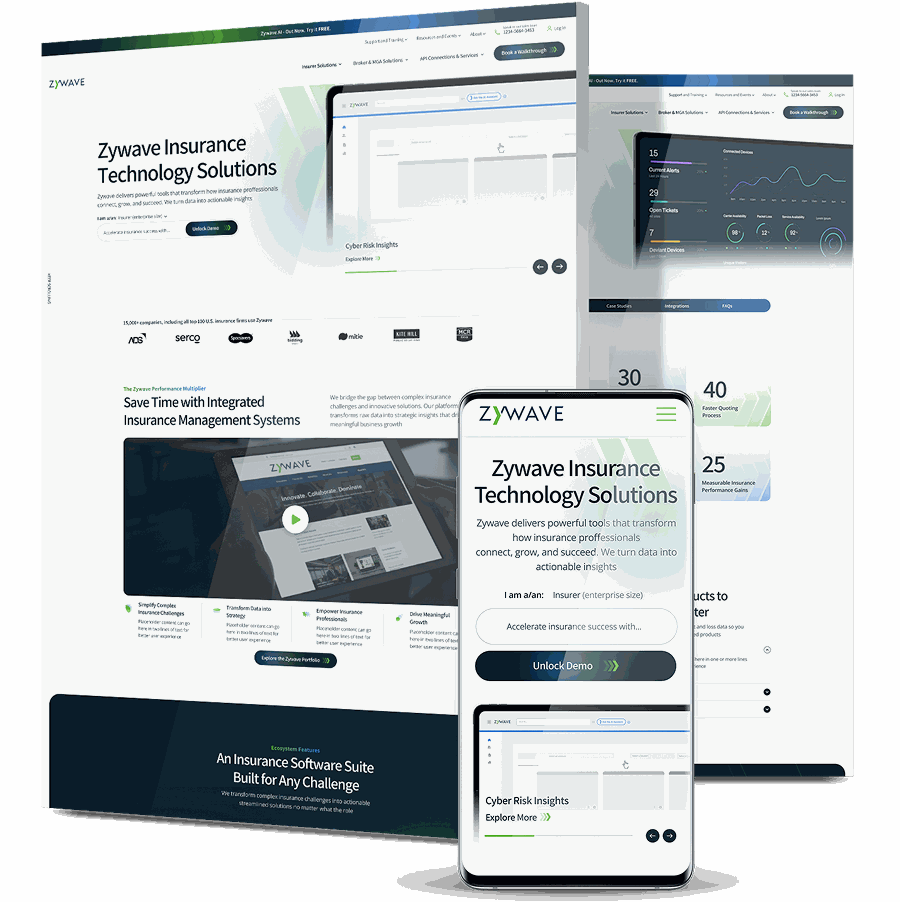
Their site ranked well, but visitors rarely turned into leads, so we created audience hubs for brokers, carriers and service providers, then rewrote product pages to match what each group came looking for.
Within five months of launch, monthly lead form submissions rose roughly 135% and converting users per month grew more than 115%.
2. Show Contract Pricing The Moment A Buyer Logs In
Nothing kills momentum faster than a logged-in buyer staring at list prices they know they do not pay.
If your negotiated rates live in a spreadsheet your sales rep emails once a quarter, every order turns into a verification call.
Push those rates into the storefront and attach them to the company record so the number a buyer sees at login is the number they get at checkout.
How you set this up matters as much as the pricing itself:
- Treat the ERP as the only source for rates so nobody maintains a second price list
- Settle what anonymous visitors see before login, since hiding every number hurts your search visibility
- Test what displays when an account has no negotiated rate on a given SKU
- Give reps a way to view the same screen the buyer sees when a call does come in

3. Prioritize Account-Based Personalization
A warehouse manager wants stock levels. A finance contact wants invoices and credit limits. An engineer wants spec sheets and compatibility charts.
When all three log into the same undifferentiated dashboard, everyone wades through two thirds of a screen they will never use.
Role-based views cut that down to what each person opens the site to do.
Roll this out narrow, then widen it:
- Launch with two roles and add more once you see how accounts use them
- Let the account admin assign roles without routing every change through your support team
- Base permissions on what each role can do, not only what they can see
- Keep one shared view of order history so nobody at the account loses sight of total spend
For instance, advanced composite materials supplier Hexcel sells to engineers, procurement teams and partners from one global catalog, and each of those groups arrives looking for something different.
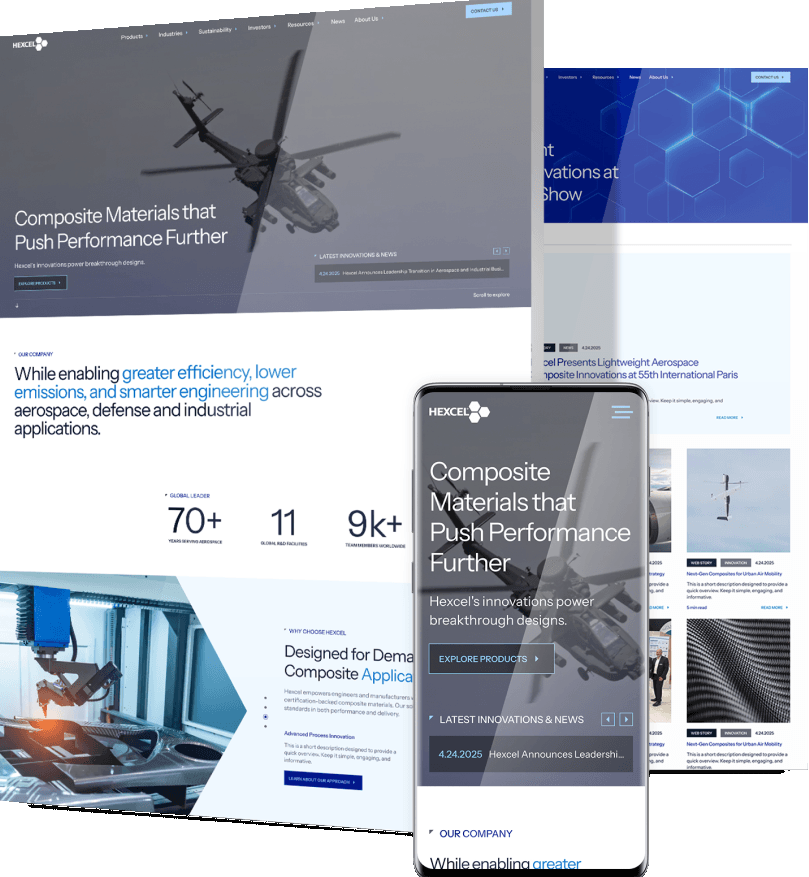
We reorganized the product and technology architecture and opened content pathways that carry technical users from a landing point into the specifications and documentation behind each material.
In the five weeks after the February 2026 launch, active users grew 132%, engaged sessions climbed 76.52% and returning users rose 70.1%.
4. Split Your Site Into Separate Journeys For Different Buyer Types
Sometimes two audiences share a domain and nothing else.
This comes up constantly in manufacturing website design: a manufacturer selling to both distributors and end users has two groups with different pricing, different proof points and different definitions of a conversion.
Trying to serve both with one homepage produces a site that half-serves each.
Splitting the paths at the navigation level is one of the more effective B2B eCommerce personalization moves available to you, and it costs less than most people assume.
Plan a split like this before design starts:
- Pick the pages where both paths meet, usually the homepage and the contact page
- Write qualification content for each side so people can rule themselves out early
- Keep one brand and one design system across both paths so you do not end up maintaining two sites
- Report on each path separately from launch day, or you will never know which one carries the pipeline
5. Rebuild The Product Navigation Based On Search Terms
Internal product taxonomies rarely match how customers describe what they want. Your team calls it “end-of-line automation.” Your buyer types “case sealer.”
When the site only recognizes one of those, the search returns nothing and the buyer leaves.
Rework categories, filters and synonym mapping to match actual search language, then test it with three people who do not work at your company.
Practical ways to close the search term gap include:
- Review zero-result search queries monthly and add the terms people tried
- Ask two or three sales reps which words customers use on calls
- Support part number entry as a primary search path, not an advanced option
- Limit filters to attributes buyers genuinely choose between, then measure which ones get used
This was the core of our redesign for Pak-Tec, a supplier of industrial packaging automation equipment.
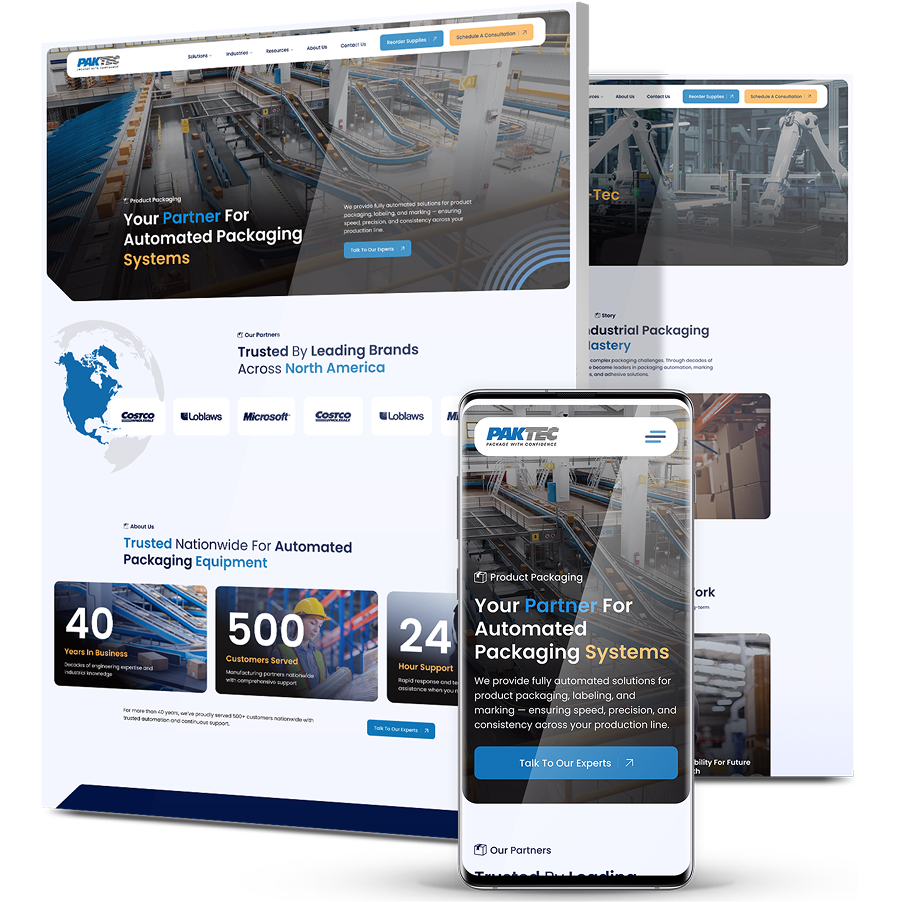
Their old site made it hard for prospects to explore the product line at all, so we mapped user flows for each product vertical and rebuilt the navigation and sitemap to follow those categories.
Average engagement time per active user increased 22.6% after launch, with buyers spending that time on product pages instead of hunting for them.
6. Turn Order History Into Two-Click Reordering
Recurring purchases make up a large share of B2B volume, and most of them require zero persuasion.
Your job is to remove steps. Saved lists, one-click reorder and replenishment prompts based on past cycles convert routine purchases without a single discount.
This is also the cheapest form of personalization to implement, since the data already sits in your order tables.
Small build details decide whether anyone uses it:
- Place the reorder action in the account area and in the order confirmation email
- Let buyers adjust quantities before the reorder goes through, since volumes change
- Suggest a substitute when a SKU has been discontinued rather than showing an error
- Time replenishment reminders to each account’s own cycle instead of one global interval
Speed at the moment of repeat purchase is what all of this buys you.
Cable tie manufacturer and distributor ZipTie was losing most buyers before they ever reached a product page, with 87% dropping out at the browse stage.

We rebuilt the store on Shopify Plus with quantity selectors, express checkout and more than 20 SKUs visible above the fold, so buyers under time pressure could act faster. In the first 30 days, add to cart events rose 519%, cart abandonment fell by half and the returning customer rate climbed 37% to 41.9%.
7. Recommend Add-Ons Based On What The Account Already Owns
Procurement teams do not add items impulsively. They add them when the suggestion is obviously correct: the filter that fits the unit they bought last spring, the fitting that matches the pipe diameter already in their order history.
Generic “customers also bought” widgets fail in B2B because compatibility matters more than popularity.
Here’s how you can include relevant recommendations:
- Build the compatibility data before you switch any recommendation engine on
- Cap suggestions at three or four to keep the page readable
- Track which suggestions get added to carts and retire the ones nobody touches
- Give buyers a way to check fit themselves through a model or spec lookup
Accurate recommendations are where B2B eCommerce personalization pays for itself fastest, because a correct suggestion raises order value without touching your margin.
8. Connect Your ERP And CRM To The Storefront
Every strategy above depends on live data.
If stock levels come from a nightly export and contract terms live only in your CRM, personalization will show buyers something that was true yesterday.
Real-time integration turns your storefront into an accurate reflection of the account relationship, and it gives your sales team visibility into what buyers do between calls.
Integration goes smoother with a few best practices, such as:
- Name which system owns each field before you connect anything
- Set sync frequency by data type, with stock levels and pricing running most often
- Plan what the site displays when a sync fails instead of showing yesterday’s numbers
- Run both systems side by side for a few weeks before you retire manual order entry
Insurance technology provider Xceedance wanted that same connection between site and sales system.
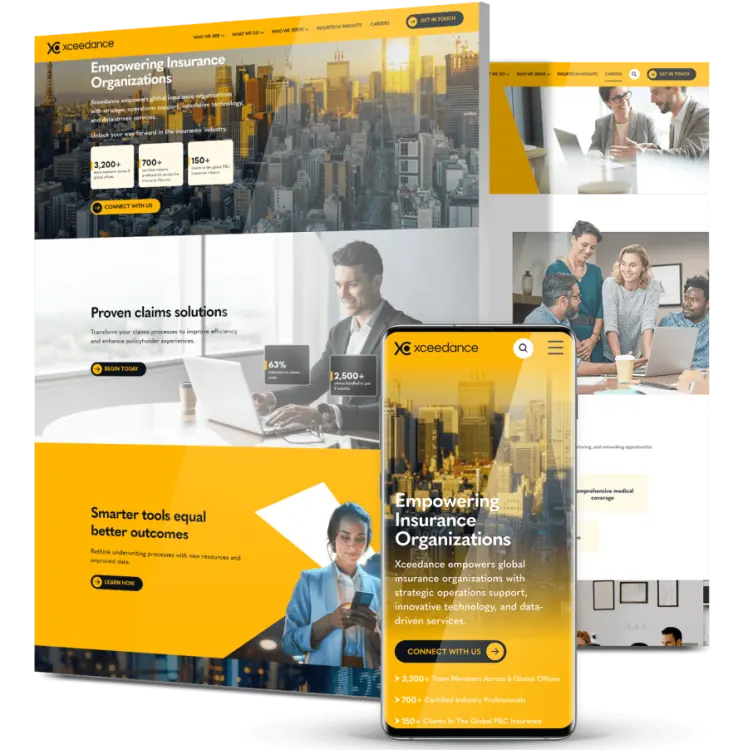
We rebuilt their site on custom modules the team can rearrange as the business grows, integrated Salesforce and designed a high-conversion campaign landing page.
This brought in more than 200,000 first-time visitors within six months, with landing page conversion rates reaching 11%.
9. Personalize The Route From Product Page To Quote Request
Plenty of B2B purchases still end in a quote rather than a checkout. That does not exempt the path from personalization.
Pre-fill the form with what you already know about the account, adjust the fields based on product type and tell people what happens next and how long it takes.
A quote request that asks a returning account to retype its own shipping address signals that nobody is paying attention.
A few notable steps make quote requests convert better:
- Cut every field you can answer from the account record yourself
- Show a quote reference and its current status in the account area after submission
- Let buyers order from an accepted quote without submitting a second request
- Compare quote-to-order rates by product category to find where the form loses people
Our client, M&A software company Devensoft, had a site losing visitors well before the inquiry form.
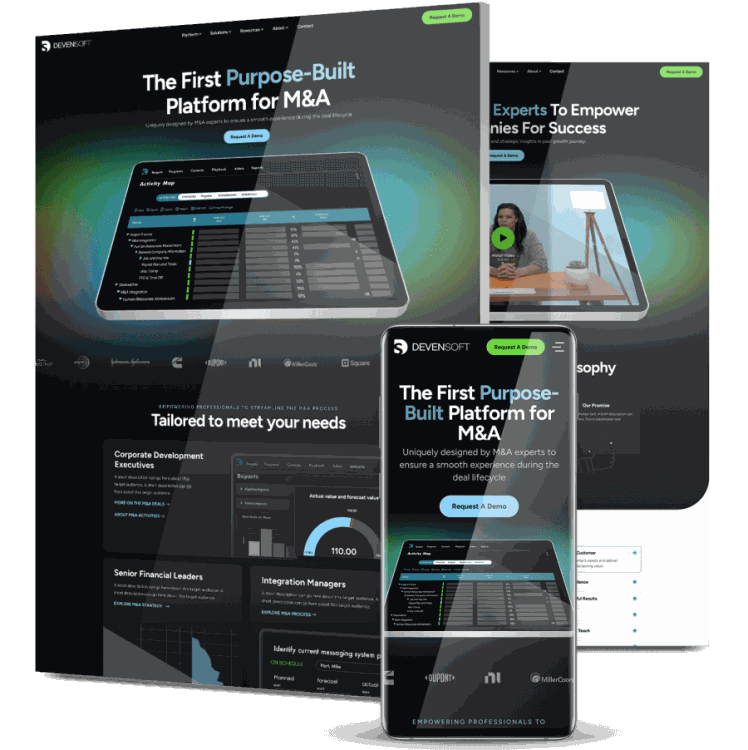
We redesigned the experience with direct conversion paths and product messaging that matched how buyers evaluate the category.
Over the following year, active users grew 45.9% to 6,200 and engaged sessions rose almost 47%.
10. Tie Loyalty Rewards To The Account, Not The Individual Buyer
B2B loyalty programs often fail because they reward whoever happens to click. In a company with six people placing orders, points scattered across six logins mean nothing to anybody.
Pool rewards at the company level, then let the account admin decide how to use them.
This turns a consumer tactic into a retention lever that procurement teams actually care about.
Structure the program the way procurement teams work:
- Put the earning rules in writing before launch, since retroactive changes cost you trust
- Show point balances to every user on the account, not only the admin
- Match any expiry policy to contract cycles rather than calendar quarters
- Measure program cost against incremental revenue so finance can see the return

The Benefits Of B2B eCommerce Personalization
Personalization in B2B pays off differently than it does in consumer retail.
Order values run higher, buying cycles run longer and a single retained account can be worth more than a hundred one-time shoppers.
Here’s what you can expect with proper B2B eCommerce personalization:
1. Shorter Sales Cycles
When buyers see their pricing, their catalog and their terms without asking, entire steps disappear from the process.
No verification call, no waiting on a quote for a standard reorder, no back-and-forth to confirm what a product costs.
Accounts that used to take three days to place a routine order can do it in three minutes. That speed compounds across every account on your books.
2. Better Lead Quality And More Purchases
Relevance changes who converts, not just how many.
93% of marketers report that personalization improves their leads or purchases, with shopping habits taking the top spot among preferred audience data.
The right content in front of the right account produces inquiries your sales team wants to answer.
Personalized qualification also filters out prospects who were never a fit, so reps spend less time disqualifying and more time closing.
3. Higher Average Order Value
Accurate recommendations raise cart size without discounting.
A buyer purchasing a machine gets shown the consumables that machine runs on, and half the time they add them.
Volume pricing displayed at the point of the purchase nudges order quantities upward on its own.
Neither tactic costs you margin, which separates them from the usual levers people reach for when revenue targets slip.
4. Accounts That Renew Instead Of Shopping Around
Switching suppliers is expensive for a business buyer, but not expensive enough to tolerate a portal that wastes their time.
Accounts with saved lists, stored terms, pooled loyalty points and a portal that fits how their team works have real reasons to stay put.
Every personalized element you add raises the cost of leaving. Retention in B2B outweighs acquisition because the contracts renew.
5. Fewer Manual Tasks For Your Sales Team
Reps who spend their days confirming prices and re-entering phone orders are not selling.
Self-service portals absorb that workload and hand it back to buyers who would rather not call anyway. Your team moves up the value chain toward account growth and new business.
The headcount you have starts covering more accounts without anyone working longer hours.

The Future Of B2B eCommerce Personalization
The direction of travel here is fairly readable. Buyers keep getting more comfortable self-serving, AI keeps getting cheaper to run against your own data, and the gap between suppliers who use their order history and suppliers who ignore it keeps widening. A few shifts look likely over the next few years.
- AI adoption becomes table stakes rather than a differentiator: Some 74% of professionals say AI is very or highly important to the success of their marketing strategies over the next 12 months, which means the advantage shifts from having AI to using it well.
- Conversational ordering replaces some catalog browsing: Buyers will describe what they want in plain language, and the site will return the right SKU at the right contract price without a filter click.
- Predictive replenishment gets accurate enough to trust: Order cadence data will trigger draft purchase orders that buyers approve rather than build, turning reorders into a one-tap confirmation.
- First-party data becomes the only data that matters: As tracking restrictions tighten, suppliers with clean order histories and logged-in accounts will out-personalize competitors relying on bought audiences.
- Buying committees get personalized separately: Rather than one experience per company, sites will adapt for the engineer, the buyer and the finance approver inside the same account, at the same time.
- Product data quality becomes the bottleneck: AI tools can only recommend what they can understand, so suppliers with messy specs and inconsistent attributes will stall no matter what software they buy.
- Self-service extends to complex, configured orders: Configurators tied to live ERP pricing will let buyers spec custom equipment online, a category that still runs through phone calls today.
Improve Your B2B eCommerce Personalization With Digital Silk
Personalization projects stall for predictable reasons: data scattered across three systems, a catalog nobody has audited in years or a site architecture slows down every change.
Our team starts with your order data and your account structure, then works out which changes will move revenue first.
From there we handle site planning, custom web design, development and integrations, so your ERP, CRM and storefront share the same information.
We have done this for manufacturers, distributors, insurers and software companies across more than 1,000 projects with measurable results.
Contact our team, call us today at (800) 206-9413 or fill in the Request a Quote form below to tell us about your project and start your eCommerce project today.
B2B eCommerce Personalization FAQs
What is B2B eCommerce personalization?
It is the practice of adapting your online store to each business account and the people inside it.
That covers account-specific pricing, restricted catalogs, role-based portal views, product recommendations tied to purchase history and content matched to a buyer’s industry or job function.
Unlike consumer personalization, it must respect negotiated contracts, approval workflows and multiple users buying under one company record.
How is B2B personalization different from B2C personalization?
B2C personalization targets one shopper making a fast, emotional purchase at a public price. B2B targets a buying group, often six to ten people, working against negotiated contracts and internal approval rules.
The data sources differ too. B2B pulls from ERP records, contract terms and reorder cycles, while B2C leans on browsing behavior and session-level signals.
What data do I need to start personalizing?
Start with what you already own: order history, contract pricing, catalog entitlements and payment terms from your ERP.
Layer on firmographics like industry, region and company size, then add role data showing who places orders versus who approves them. Site search queries and abandoned carts round it out. Clean data beats abundant data, so audit before you integrate.
How long before personalization shows results?
Quick wins land fast. Saved lists, one-click reorder and contract pricing at login can lift conversion within weeks because they remove steps rather than add features.
Deeper work like ERP integration, AI recommendations or a full architecture rebuild typically shows measurable returns between three and twelve months, once data flows cleanly and you have enough behavior to learn from.
What is the biggest mistake B2B companies make with personalization?
Buying software before fixing data. Teams license a recommendation engine, connect it to a product catalog full of inconsistent attributes and missing specs, then wonder why suggestions look random.
Product data quality determines output quality. Audit your SKU attributes, compatibility relationships and pricing rules first, then choose tools that work with what you actually have.
Do I need a headless setup to personalize a B2B store?
No. Plenty of suppliers run effective personalization on standard platforms using native segmentation, custom price lists and account-level catalogs.
Headless architecture helps when you have complex order forms, multi-level permissions or deep integrations across several systems. Treat it as a response to genuine complexity rather than a default choice, because it raises both build cost and maintenance load.
How do I personalize when buyers browse anonymously?
Anonymous visitors still leave signals. Use referral source, search query, viewed categories and company-level IP data to adapt content before login.
Offer a reason to identify themselves early, like a spec sheet download or a saved cart. Most importantly, make the login itself worth it by putting pricing and availability behind it rather than marketing copy.
Can personalization feel intrusive to business buyers?
It can, when it displays data the buyer never knowingly shared. Business buyers accept personalization that saves time and reject personalization that feels like surveillance.
Stick to information the account gave you or generated through its own purchases. Show your reasoning when it helps, as with a note explaining that a recommendation matches equipment they bought last year.
Which metrics should I track to measure personalization?
Watch conversion rate by segment rather than site-wide, average order value for personalized versus generic sessions, reorder frequency and time between orders.
Add customer lifetime value by account tier and the share of orders placed without sales involvement. Segment-level reporting matters most, since a site-wide average hides the exact improvements you are trying to prove.
Tell us about your website goals and let our experts give you a custom proposal
"*" indicates required fields